3
ENGLISH
THE CABINET HAS NOT BEEN DESIGNED TO HOLD
TEMPERATURE OF ITEM BEING STORED AND WILL NOT
CHILL OF FREEZE LARGE AMOUNTS OF FOODS BEING
PUT IN THE CABINET.
Before loading with goods, ensure the cabinet has reached the
required holding temperature.
TO AVOID EVAPORATOR CORROSION, IT IS IMPORTANT
TO KEEP FOOD WITH HIGH ACID CONTENT/VINEGAR
ETC. IN AIR TIGHT CONTAINERS. CORROSION OF THE
EVAPORATOR WILL LEAD TO FAILURE OF THE CABINET
WHICH WILL NOT BE COVERED UNDER WARRANTY.
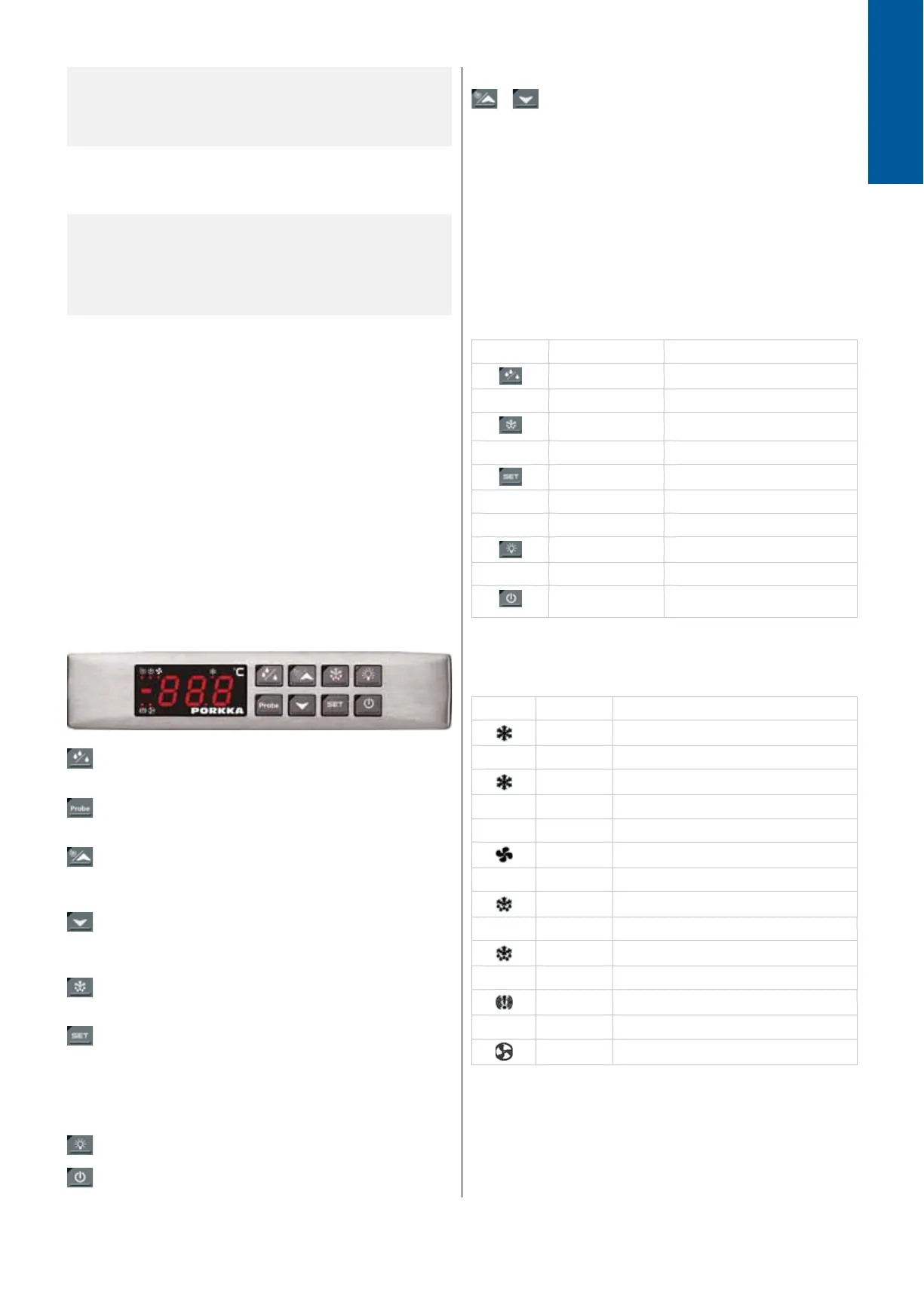
COMBINED ELECTRONIC CONTROL BOARD AND
TEMPERATURE DISPLAY
The equipment is fi tted with a combined digital temperature
display with many built-in features which include; Data
connections for HACCP monitoring of equipment temperatures
and alarms. Volt free relay either normally open or closed
for connection to building maintenance alarm system or
supervising system. XWEB (optional accessory) will allow
HACCP compliance by logging temperature data, alarm history
and will also allow remote control and advise on maintenance of
the equipment.
During normal operation the display will indicate the cabinet
internal air temperature or when ‘dEF is displayed when the
cabinet is taking it’s automatic defrost period.
Keys
The keylock prevents unintended use of the keys.
The lock is switched on by holding the keys down
att the same time for 3 seconds.The display
momentarily shows letters “PoF”. With keylock
on you can still check the lowest and highest
temperature registered. The light switch function
can still be used when keypad is locked (only on
cabinets fi tted with lights). To unlock the keyboard
keep the keys pressed together for more than
3s. The “Pon” message will be displayed and the
keyboard is unlocked.
To lock and unlock the keyboard
Function of key lamp lights
The key starts drying function to reduce the eventual
humidity on the inner surfaces.
The key for browsing of the temperature data of the
sensors in use.
The key shows the highest thermostat value registered.
In the programming mode you navigate inside the
program or it is used to raise the selected value.
The key shows the lowest thermostat value registered.
In the programming mode you navigate inside the
program or it is used to lower the selected value.
The manual defrosting starts when you push the key for
3 seconds.
The key for checking and changing the settings. In
programming mode the key is used to select the value
and to check the programming function. The registered
value of the highest and lowest temperature can be
deleted by pushing the key for 3 seconds when the value
is displayed.
Light switch (Note! Used only in cabinets with lights)
Power switch
+
Function of the display lights
KEYS MODE FUNCTION
Yellow light on Drying function on
Green light on Manual defrosting is on
Green light fl ashing Set temperature is displayed
and can be changed
Green light on Light inside the cabinet is on
Red light on The equipment is on standby
mode, ON/OFF
LIGHT MODE FUNCTION
On Compressor is running
Flashing Time delay to protect
compressor after start-up
On The fan of the evaporator is on
On Defrosting is on
Flashing Time delay after defrost
On ALARM
On The fan of the condenser is on


 To Next Page
 Loading...