170 Multi-Purpose Display and Instruments
Setting compass
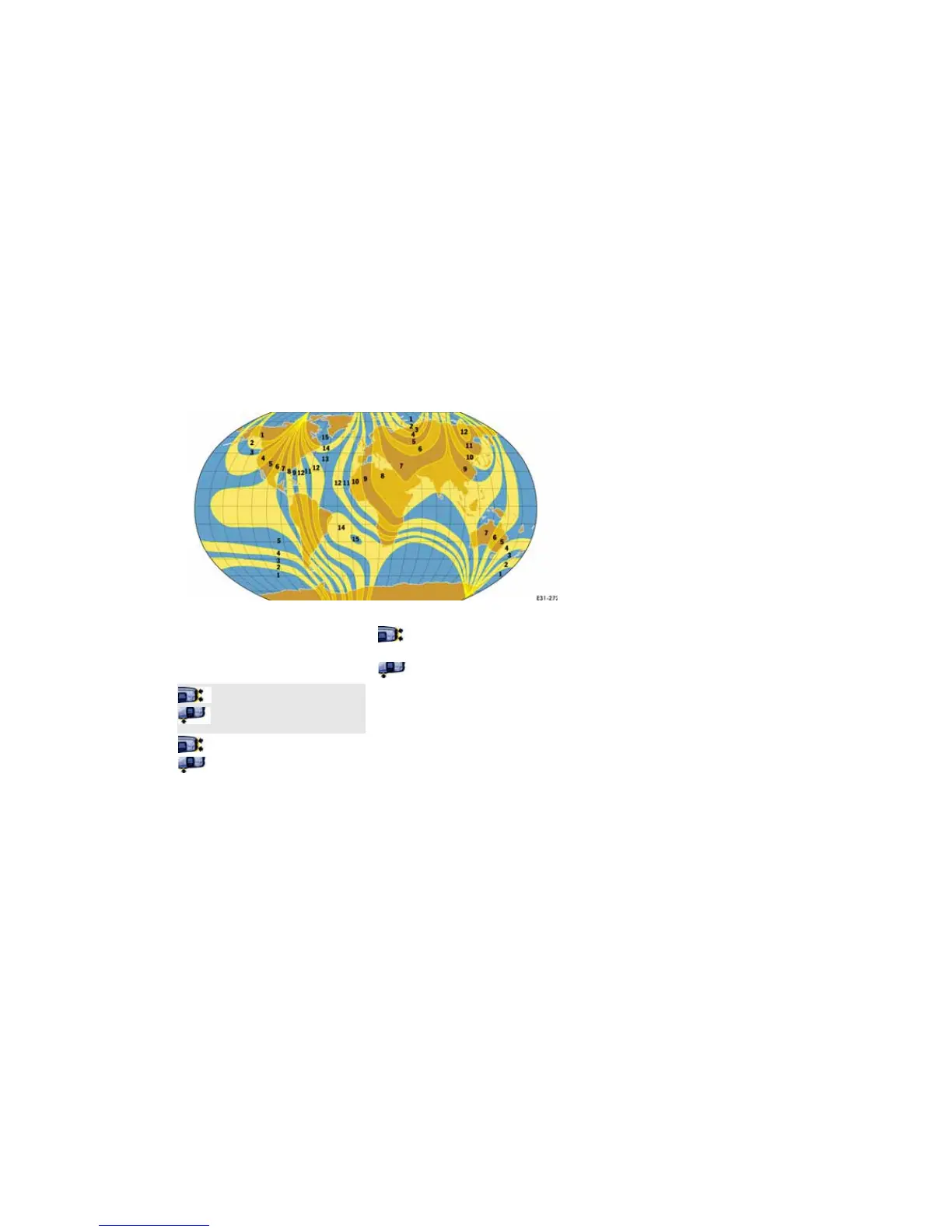
If you drive your vehicle across the magnetic field
zone set on the multi-purpose display, you must
enter your current zone in the COMPASS menu
(see illustration).
1. MAIN MENU
>SETTINGS
> COMPASS
Select and confirm.
2. Select SET ZONE xx.
3. Confirm selection.
4. Select zone.
The setting is changed in increments
of 1 by pressing the rocker switch.
5. Confirm selection.
Calibrating compass
In rare cases, external disturbances may necessi-
tate calibration of the compass. The warning
message “CAL.” then appears on the multi-
purpose display.
f To calibrate the compass, follow the displayed
instruction DRIVE IN A FULL CIRCLE.
The display returns to the main menu after
successful calibration.


 To Next Page
 Loading...