11
A spindle lock (A) Fig. 4, located on the
right side of the gear case, will prevent
the spindle from rotating. To activate,
depress the spindle lock with your
thumb while rotating the spindle (B)
Fig. 4 by hand until the pin engages
and stops the spindle rotation.
DISCONNECT TOOL FROM POWER SOURCE.
SPINDLE LOCK
Do not depress spindle lock while tool is running.
Fig. 4
A
B
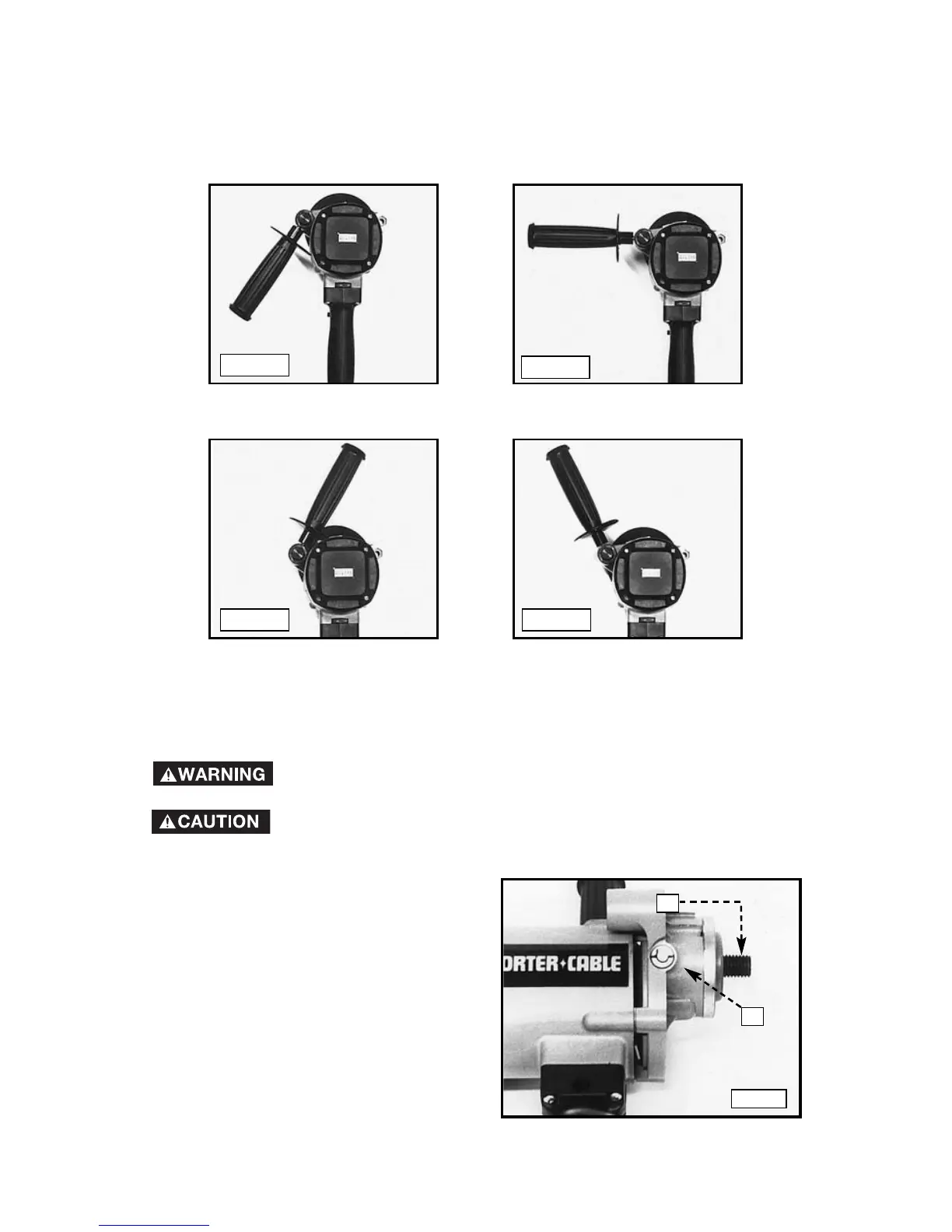
Fig. 3A
Fig. 3B
Fig. 3C Fig. 3D
The handle and collar may be tightened in any one of four positions (Fig. 3A
through Fig. 3D). Move the handle and collar to the desired position and
tighten securely.




 To Next Page