13
GUIDE SCREWS
For most applications, position the
buttonhead guide screws (A) Fig. 11
so that a straight-edge (B) placed on
them will just barely clear the pad
edge (C). In this position, the pad rim
will not rub the clapboard edge on
which the screws ride. You can adjust
the screws to keep the pad edge
farther away from the overlapping
clapboard. To change the positions of
the screws, loosen the lock nuts,
adjust the screws and tighten lock
nuts. Make sure the screws do not
turn or change position while
tightening lock nuts.
VARIABLE SPEED
You can adjust the speed of this tool by turning the thumbwheel (C) Fig. 10.
Thumbwheel position #1 provides the slowest operating speed (3300 RPM)
and position #6 the fastest (4500 RPM). You can change the speed while the
motor is running or not running.
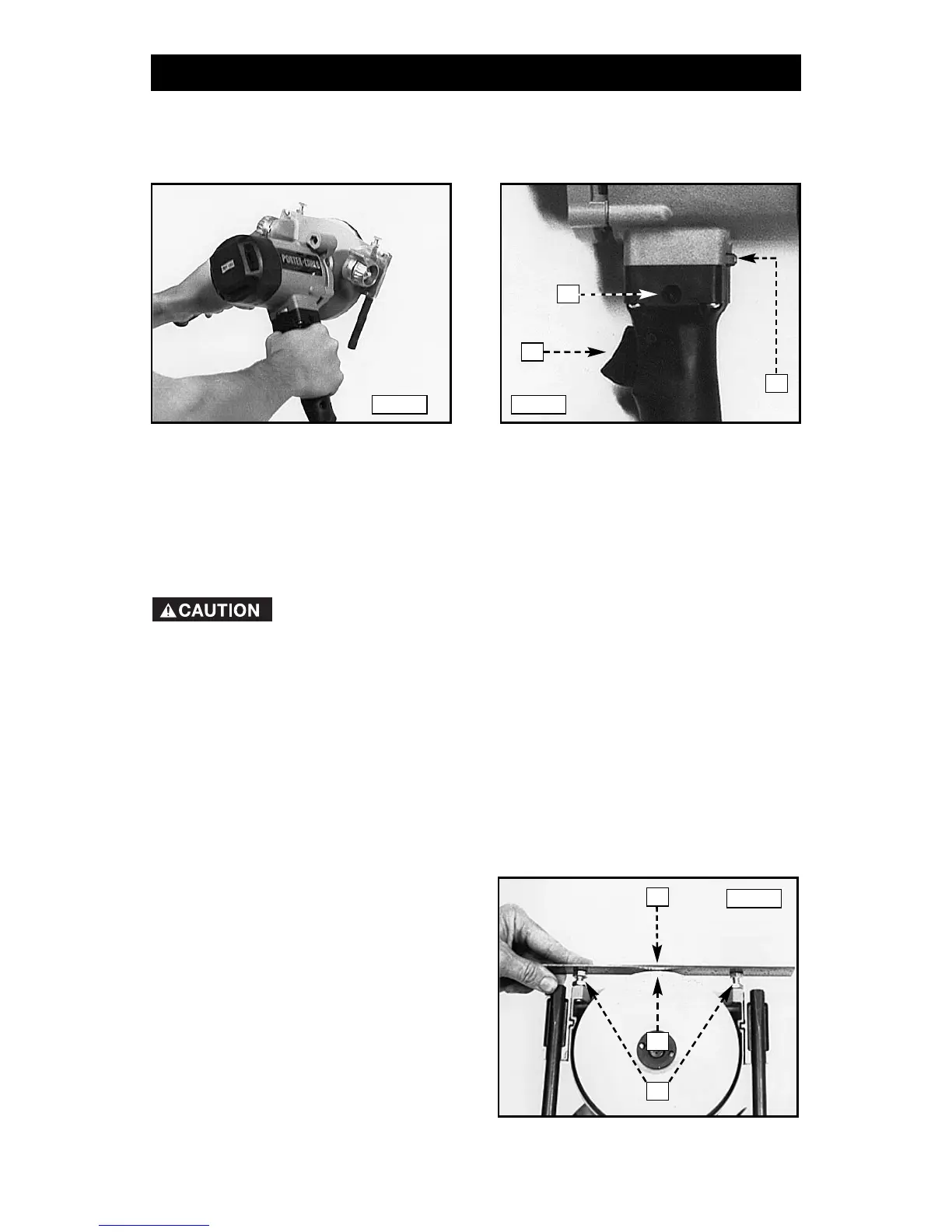
HOW TO HOLD THE TOOL
Hold the tool firmly with both hands (Fig. 9).
TO START AND STOP THE TOOL
To start the tool, depress the trigger (A) Fig. 10. To stop the tool, release the
trigger. This tool has a lock button (B) Fig. 10, conveniently located in the tool
handle. To keep tool running continuously, depress the trigger (A) and push in
the switch locking button (B) on the left side of the handle. While holding the
button in, release the trigger. To release the locking button, depress the
trigger and release.
Make certain that the switch is in the “OFF” position before
connecting the tool to the power source to avoid unintentional starting.
A
B
OPERATION
C
Fig. 9 Fig. 10
Fig. 11
A
B
C




 To Next Page