6
SWITCHING ON AND OFF
-Toswitchthetoolon,depressthevariablespeedswitch(1).Thetoolspeeddepends
on how far you depress the switch.
-Forcontinuousoperation,pressthelock-onbutton(3)andreleasethevariablespeed
switch. This option is available only at full speed.
-Toswitchthetooloff,releasethevariablespeedswitch.
To switch the tool off when in continuous operation, press
the variable speed switch once more and release it.
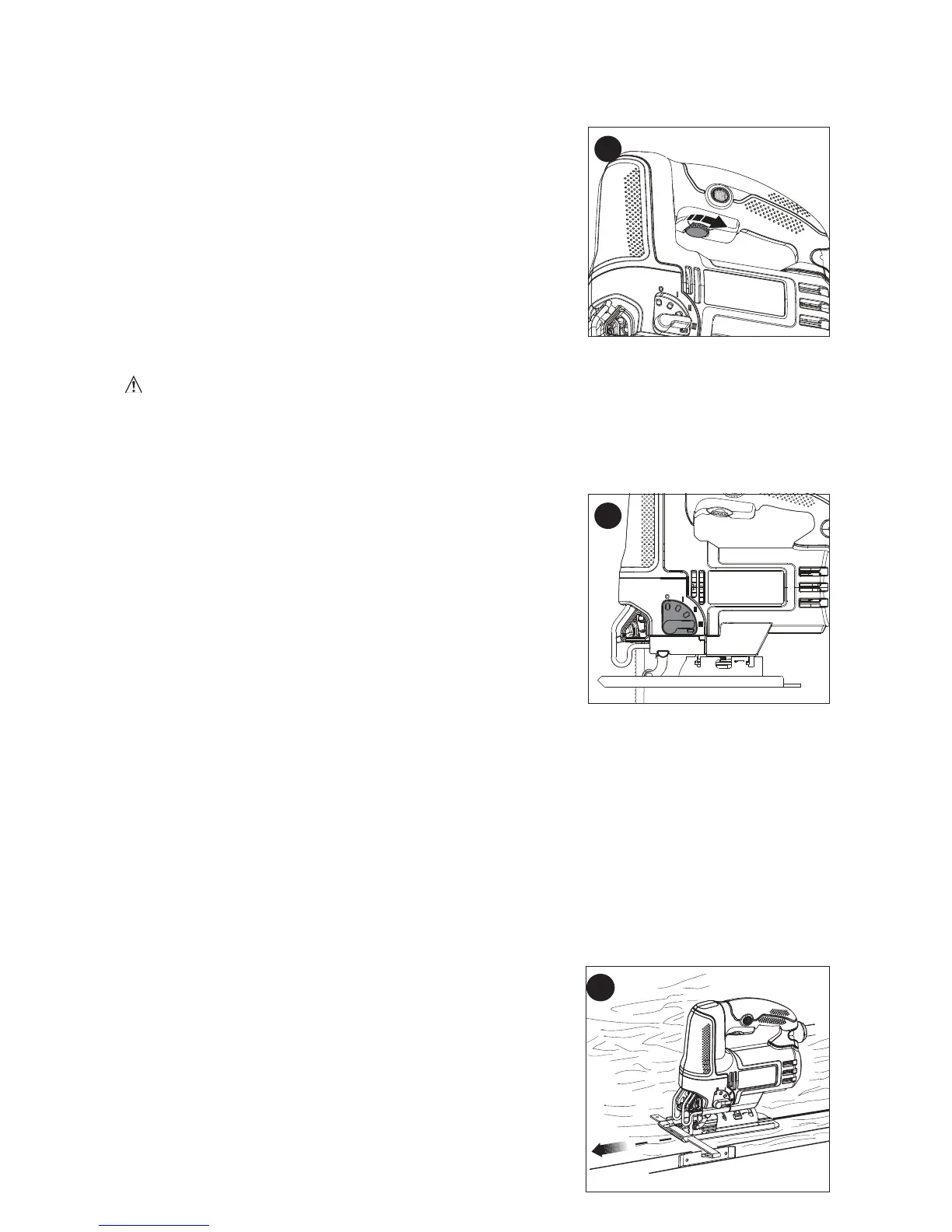
SPEED CONTROL DIAL
Byrotatingthespeedcontroldial(2),themaximum
speed-orstrokes-per-minuteatwhichthebladewillcutis
adjusted.Rotatingthedialinthedirectionshowninfigure
E will increase speed. To decrease speed, rotate dial in
opposite direction.
CUTTING ACTION – ORBITAL OR STRAIGHT (FIGURE F)
CAUTION:
Check that the tool is not locked on before connecting it to a power supply.
If the trigger switch is locked on when the tool is connected to the power supply, it will start
immediately. Damage to your tool or personal injury may result.
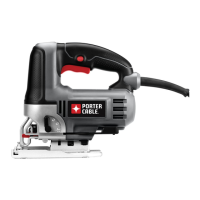
Thisjigsawisequippedwithfourcuttingactions,threeorbitalandonestraight.Orbital
action has a more aggressive blade motion and is designed for cutting in soft materials
likewoodorplastic.Orbitalactionprovidesafastercut,butwithalesssmoothcutacross
the material. In orbital action, the blade moves forward
duringthecuttingstrokeinadditiontotheupanddown
motion.
NOTE: Metal or hardwoods should never be cut in orbital
action.
To adjust the cutting action:
-Movethecuttingactionlever(8)betweenthefour
cuttingpositions:0,1,2,and3.
-Position0isstraightcutting.
-Positions1,2,and3areorbitalcutting.
-Theaggressivenessofthecutincreasesasthelever
is adjusted from one to three, with three being the most
aggressive cut.
Hints for optimum use
Sawing laminates
Asthesawbladecutsontheupwardstroke,splinteringmayoccuronthesurface
closest to the shoe plate.
-Useafine-toothsawblade.
-Sawfromthebacksurfaceoftheworkpiece.
-Tominimizesplintering,clampapieceofscrapwoodorhardboardtobothsidesofthe
workpieceandsawthroughthissandwich.
Sawing metal
-Beawarethatsawingmetaltakesmuchmoretimethansawingwood.
-Useasawbladesuitableforsawingmetal.
-Whencuttingthinmetal,clampapieceofscrapwoodtothebacksurfaceofthe
workpieceandcutthroughthissandwich.
-Spreadafilmofoilalongtheintendedlineofcutfor
easieroperationandlongerbladelife.Forcutting
aluminum,keroseneispreferred.
RIP / CIRCLE CUTTING (FIGURE G, H)
Rippingandcirclecuttingwithoutapencillineareeasily
donewiththeripfence/circleguide(notincluded-
availableatextracost).
Using the screw supplied with the accessory guide,
position as shown in figure G and thread the screw into
the shoe to clamp the fence securely.
When ripping, position as shown in figure G and slide
the rip fence under the screw from either side of the saw.
F
E
G






 To Next Page