Need help?
Do you have a question about the PortKeys LH5P and is the answer not in the manual?
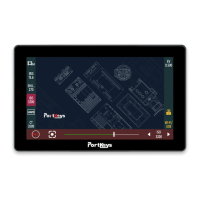
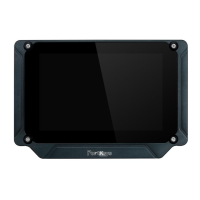
Details the physical dimensions, screen size, and layout of the monitor.
Lists all the items included in the product package for setup and use.
Provides a comprehensive list of technical specifications and operational parameters.
Outlines supported input and output resolutions and frame rates for HDMI signals.
Explains how to navigate to the function setting page using gestures.
Details available function settings like HDMI signal, LUT, brightness, and fan strength.
Guides on customizing shortcut functions and assigning them to specific keys.
Covers fundamental interaction methods like long presses and swipes for menu access.
Describes the gesture required to access the system settings page.
Explains how to adjust image parameters like brightness, contrast, and color temperature.
Details system-wide configurations such as language, reset options, and fan control.
Covers loading and managing LUTs via USB and resetting LUT configurations.
Information on viewing device version and performing software upgrades.
Explains the gesture to switch to the camera control settings page.
Guides on selecting and configuring compatible camera models for remote control.
Step-by-step instructions for establishing a Bluetooth connection with compatible cameras.
Details how to adjust focus parameters and record settings for camera control.
Comprehensive guide for establishing a wireless connection with a Sony A7Miii camera.
Explains the gesture to switch to the motor control settings page.
Guides on selecting motor control channels, setting parameters, and adjusting strokes.
 General
| Display Size | 5.5 inches |
|---|---|
| Resolution | 1920 x 1080 |
| Contrast Ratio | 1000:1 |
| Touchscreen | Yes |
| Input | HDMI |
| Power Input | DC 7-24V |
| Color Gamut | 100% Rec. 709 |
| Power Consumption | 10W |
| Viewing Angle | 178° H/V |

 To Next Page