Need help?
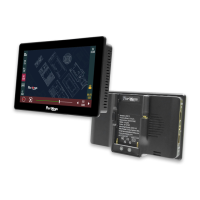
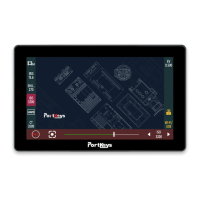
Do you have a question about the PortKeys BM7 and is the answer not in the manual?
Details supported SDI and HDMI input resolutions and frame rates for the BM7 monitor.
Details supported SDI and HDMI output resolutions and frame rates from the BM7 monitor.
Configure visual guides like aspect ratio, grids, and crosshair for composition assistance.
Adjust video parameters such as brightness, contrast, sharpness, and color temperature.
Customize OSD language, duration, transparency, and manage screen flip modes.
Perform system resets and configure flip controls for various device orientations.
Load LUT files from USB for color calibration and apply them to footage.
Update device firmware and monitor operational status and usage metrics.
Configure grids, peaking levels for focus, and false color for exposure analysis via shortcuts.
Utilize zebra stripes for highlights and other functions mapped to shortcut keys.
Access guides, crosshair, and waveform displays for precise image monitoring.
Configure HDR preview settings and manage full-screen or split-screen display options.
Choose from a variety of log recording formats including Arri LogC, S-Log, and V-Log.
Select appropriate color gamut presets like Rec.2020, DCI-P3, and SGamut for accurate color reproduction.

 To Next Page
 General