Need help?
Do you have a question about the PortKeys LH7H and is the answer not in the manual?
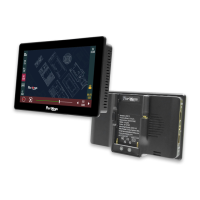
Details the physical dimensions and connectivity ports of the LH7H monitor.
Lists all the components included in the LH7H monitor package.
Lists key technical specifications such as screen size, resolution, brightness, and power consumption.
Details supported input and output resolutions and frame rates for HDMI signals.
Explains how to use swipe gestures to navigate between function interfaces.
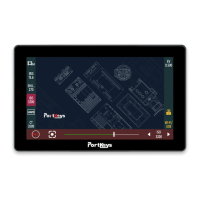
Provides an overview of the various software features and their corresponding numerical indicators.
Guides users on how to assign and manage custom shortcut functions for the monitor's keys.
Details fundamental operations like long-pressing and swiping icons to access menus and settings.
Describes how to use swipe gestures to access the system settings interface.
Explains how to adjust image parameters like brightness, contrast, and color temperature.
Details how to use the display flip modes, including horizontal and vertical flipping.
Covers system-level settings such as language, battery voltage display, and live mode.
Provides instructions for loading and managing 3D LUT files for color grading.
Details how to adjust the audio volume levels on the monitor.
Guides users on viewing version information and performing software upgrades.
Details FCC compliance, RF exposure guidelines, and operational restrictions for the device.

 To Next Page
 General