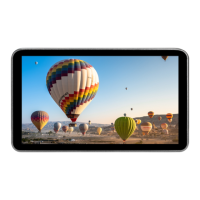
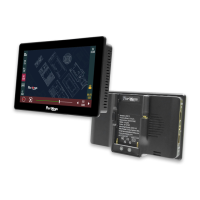
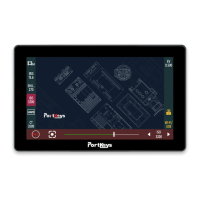
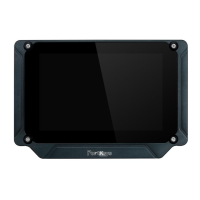
The PortKeys LH7P is a 7-inch on-camera monitor designed to enhance the filmmaking experience with its comprehensive set of features and robust technical specifications. It serves as a versatile tool for camera operators, offering a bright and clear display, extensive camera control capabilities, and a user-friendly interface.
Function Description:
The LH7P monitor provides a high-quality visual interface for monitoring camera feeds, offering a 1920x1080 resolution display with a 1000nit brightness, ensuring clear visibility even in bright outdoor conditions. Its primary function is to provide accurate image monitoring, but it extends its utility through a wide array of software features including various image analysis tools like Peaking, Zebra, False Color, Luma Waveform, RGB Waveform, and HDR(HLG) support. It also includes practical tools such as Audio Meters, Luma Histogram, 3D LUT application, Rectangular Crop, Image Capture, Image Overlay, Check Field, Guides, Cross Hair, and Grids.
Beyond monitoring, the LH7P integrates camera control functionalities, allowing users to manage camera settings directly from the monitor. This includes adjusting focus, zoom, iris, shutter, ISO, and frame rate for compatible cameras. The monitor supports both Wi-Fi and Bluetooth connections for camera control, specifically mentioning compatibility with BMPCC4K(BLE) models.
The device features a customizable function interface, enabling users to set up shortcut functions for quick access to frequently used tools. It also includes a dedicated settings interface for managing image parameters, display flip options, system settings, 3D LUT management, volume control, and firmware updates.
Important Technical Specifications:
- Screen Size: 7 inches
- Color Gamut: Rec.709
- Resolution: 1920x1080
- Brightness: 1000nit
- Contrast Ratio: 1000:1
- Dimension: 176.2x103.8x18.4mm
- Weight: 245g
- Viewing Angle: 85/85/85/85 (Left/Right/Up/Down)
- Material: PC+ABS
- Input Voltage: 7-24V DC
- USB-A Port: Used for firmware upgrades and loading LUTs.
- Support Battery Model: SONY NP-F970/F960/F750/F550 series.
- Maximum Power Consumption: 9W
- Fan: Quiet operation.
- Operating Temperature Range: 0 °C ~ 40 ℃
- HDMI Input: Supports resolutions up to 4096x2160p@24Hz, 3840x2160p@30Hz, 1920x1080p@60Hz, 1920x1080i@60Hz, 1280x720p@60Hz, 720x576p@50Hz, 720x576i@50Hz, 720x480p@60Hz, and 720x480i@60Hz.
- HDMI Output: Supports 1920x1080p@60Hz.
- Audio Output: Headphone jack.
- Mounting Points: Multiple 1/4" threaded inserts.
Usage Features:
The LH7P boasts a highly intuitive touch screen interface with gesture-based navigation.
- Function Interface Gesture Switching: Swiping right on any interface accesses the function setting interface, which displays software features, battery level, HDMI signal status, 3D LUT data, 3D LUT ON/OFF toggle, screen brightness (1-10), and quick access to software function list and debugging.
- Custom Function Keys Settings: Users can customize the F1-F4 physical shortcut keys on the monitor. The process involves selecting a function icon, adding it to the left or right shortcut areas, and then using the physical keys to toggle these functions on/off. The interface allows for easy addition and deletion of shortcut functions.
- Basic Operation: Long-pressing a function icon displays its parameter settings at the bottom of the screen. Swiping left or right on a function icon allows entry into its respective menu for replacement or deletion.
- Settings Interface Gesture Switching: Swiping left on any interface accesses the system settings interface, where users can adjust image parameters (brightness, contrast, chroma, sharpness, tint, anamorphic ratio, backlight, color temperature), display flip settings (H Flip, V Flip), system settings (OSD language, battery voltage display, gesture zooming, live mode), 3D LUT settings (USB Looks, Reset LUT), volume settings, and view version information for updates.
- Camera Control Interface Gesture Switching: Swiping down on any interface accesses the camera control settings interface.
- Camera Model Setting: Users can select between Wi-Fi and BMPCC(BLE) for camera control, with the currently selected model highlighted.
- Bluetooth Connection: For BMPCC4K/6K cameras, users can connect via Bluetooth. This involves selecting "BMPCC4K(BLE)", then "My device" for previously connected devices or "Add new device" for new connections. The monitor prompts for a passcode, which is displayed on the camera, to complete the pairing process. A successful connection is indicated by a yellow Bluetooth icon.
- Function Usage (Camera Control): Once connected, users can click on specific camera parameters like "FOCUS" to adjust them. The monitor provides a progress bar for fine-tuning parameters such as focus, zoom, iris, shutter, and ISO. It also includes dedicated buttons for "Record" and "Focus" control.
Maintenance Features:
- Firmware Upgrade: The USB-A port allows for firmware upgrades, ensuring the monitor stays up-to-date with the latest features and bug fixes.
- 3D LUT Loading: The USB-A port also facilitates loading custom 3D LUTs, providing flexibility for color grading and monitoring.
- Version Information: The "Version Setting" interface provides details about the current firmware version and offers an option for USB updates.
- FCC Compliance: The device adheres to FCC rules, with warnings provided regarding unauthorized modifications and potential interference. Users are advised on measures to correct interference, such as reorienting antennas or increasing separation from other equipment.
- RF Exposure Statement: The device complies with FCC radiation exposure limits, requiring a minimum distance of 20cm between the radiator and the user's body during operation.
- Included Accessories: The product comes with a Micro USB Flash Drive (likely for firmware/LUTs), a Screen Cleaning Wipe, and an HDMI to HDMI Cable, indicating support for basic maintenance and setup.

 Need help?

 To Next Page
 General