3
2. Programming an external radio receiver on a specific channel of
any transmitter.
3. Changing the direction of rotation of the drive.
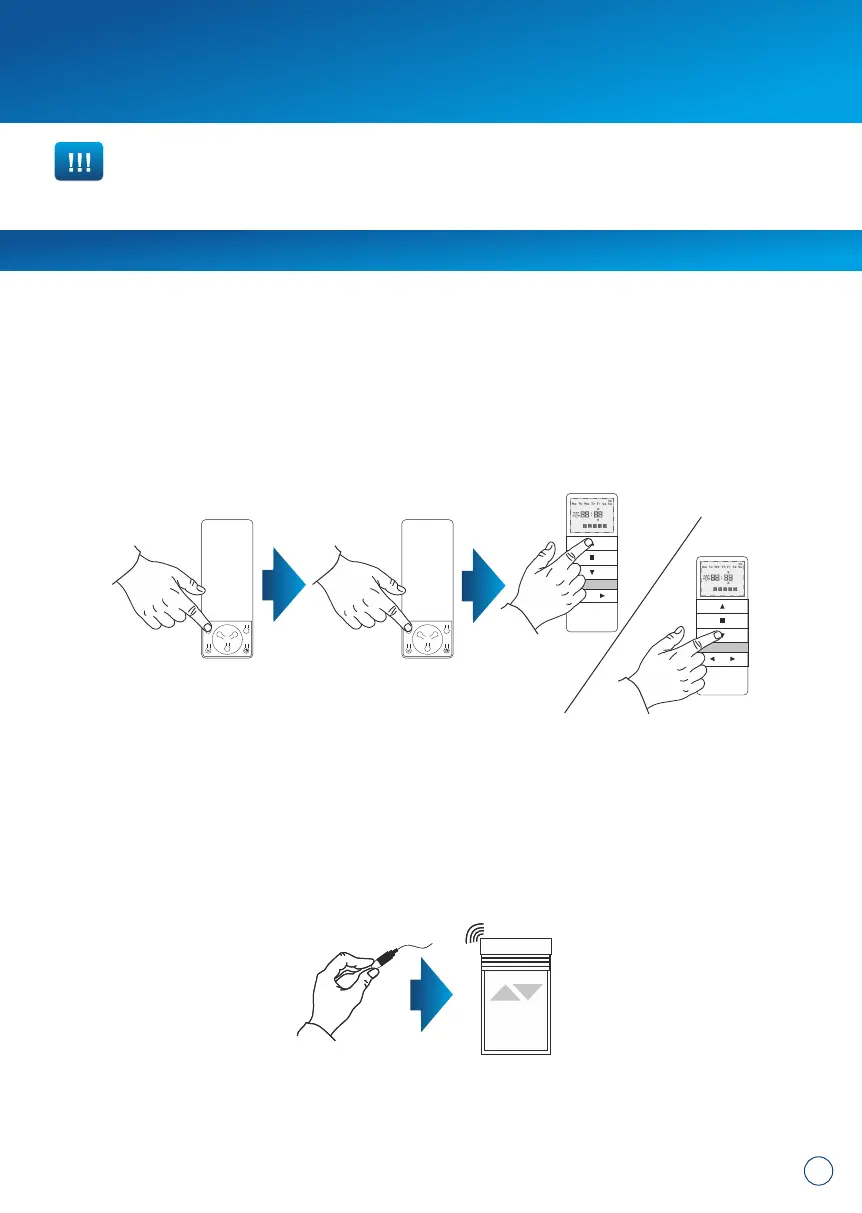
METHOD 1:
After assigning the device to a motor, check if the running direction is correct by
switching the motor on with the device. To change the running direction of the motor,
you need to reprogram the channel (point 1 of this manual) by changing the
programming method – if the motor was programmed following the P2 + P2 + UP
method and the direction of rotation needs reversing, reprogram the motor by finishing
the programming process with direction reversal, i.e. P2 + P2 + DOWN. The drive will
register the direction change.
METHOD 2:
Using the microswitch located on the lead emerging from the head of the drive, you
can change the drive's running direction. To do so, you should:
1. Press the microswitch down for 6 seconds.
2. After 1 second, the motor will confirm with a short beep sound and move up and
down, whereas after the next 5 seconds the motor will confirm the direction change
with 3 beeps and the roller shutter will move UP and DOWN twice.
min. 6 seconds
IMPORTANT!!!
If you have an external radio receiver, follow the user manual for the device
(i.e. XT-R, PPKR-313 or PPKR-400).


 To Next Page
 Loading...