- 9 -
Digital Pen operation with Mac
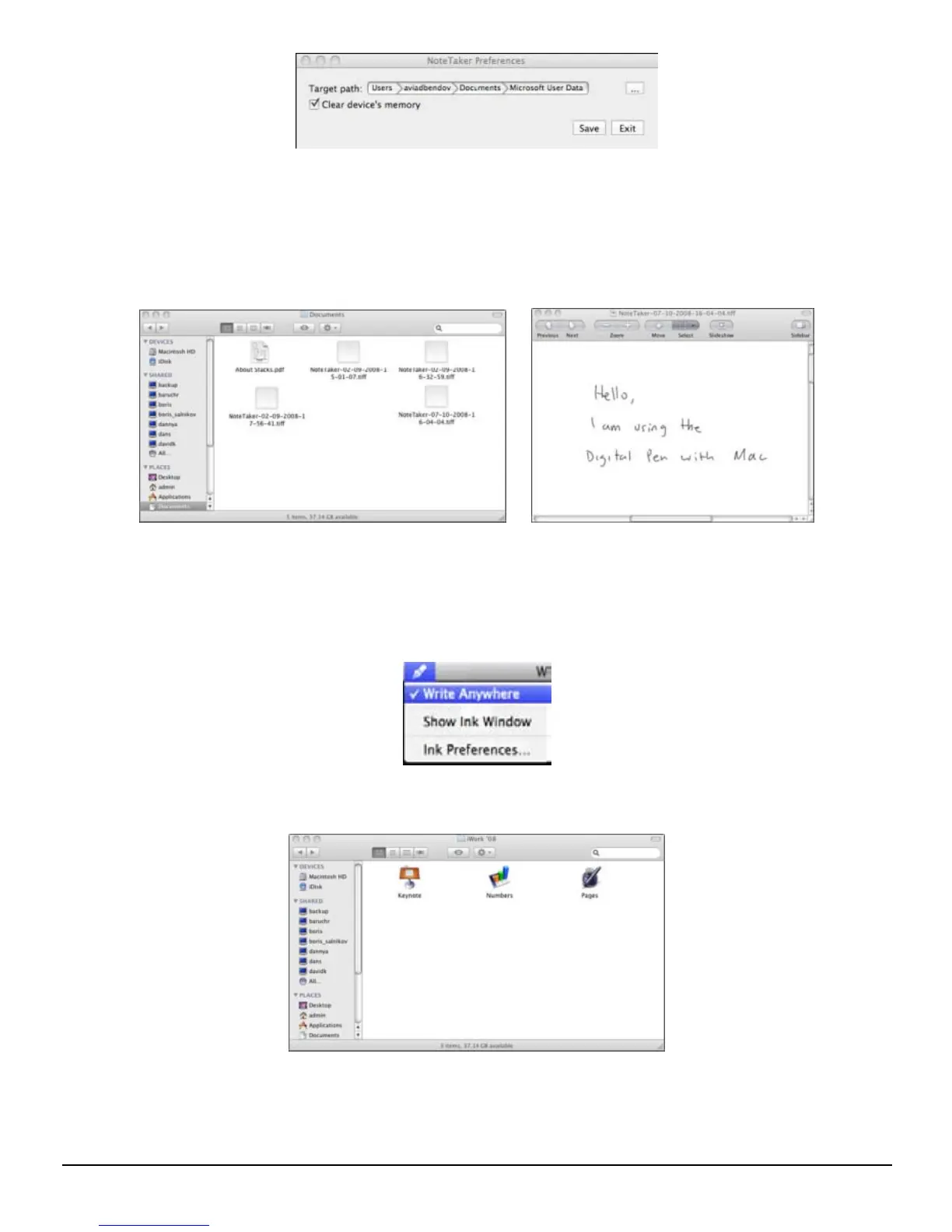
(1) Use the Digital Pen to capture and save your notes while you are away from your Mac,
in meetings or lectures.
(2) Connect the Digital Pen to your Mac to upload the saved notes. The notes are saved in
TIFF format in the directory that you have specified. Double click on the desired TIFF
file in order to view the note.
(3) While being connected to the Mac via the USB port, the Digital Pen can be used as a
Mouse and as a Tablet input device for Mac ink applications. To use the Digital Pen as
a Tablet Input device, you first need to enable this mode by clicking the Ink icon at the
top bar of the MAC desktop and then selecting “Write Anywhere”. If you deselect “Write
Anywhere”, your Digital Pen will work as a mouse only.
(4) Use the digital pen in applications such as iWork”08. You can write handwritten letters
on-line, and the Mac will convert it into text. The feature is available iWork Pages (word
processor), iWork Keynote (presentations) and iWork Numbers (spreadsheets).
Note: The Digital Pen can be also used for drawings inside applications such as Adobe Illustrator,
Photoshop, etc.


 To Next Page