- 4 -
1.3 How to set up the parameter - II
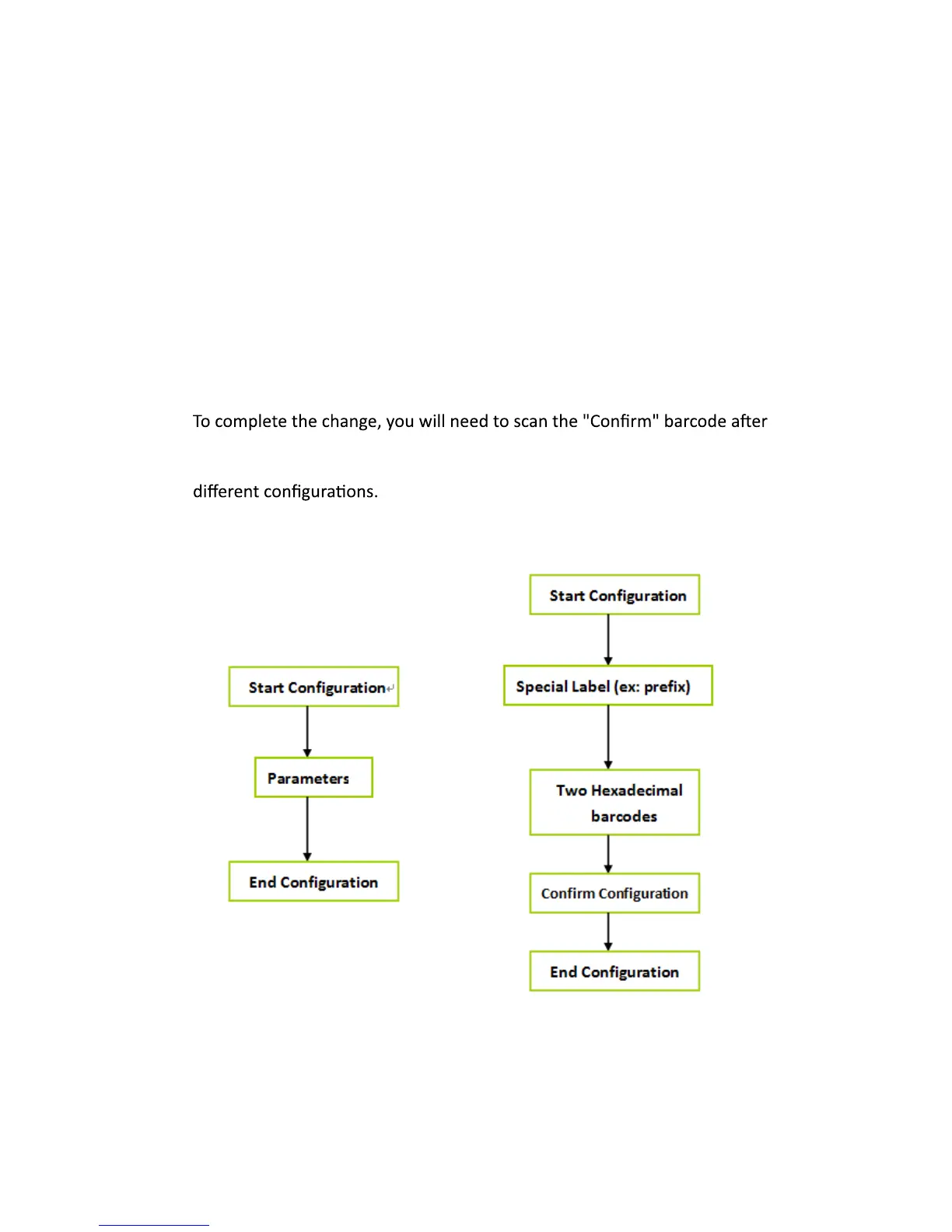
you scan the parameter barcode. Below is the flow chart to explain two
Hexadecimal barcodes, such as, prefix or suffix
Numeric barcode, such as, inter-character delay or min/max length.
Generally, you will only need to scan one barcode for most parameters.
You will hear two beeps when you successfully set the new values. In some
cases, when using special parameters you may need to read more than
one barcode. For example:



 To Next Page