4-3.
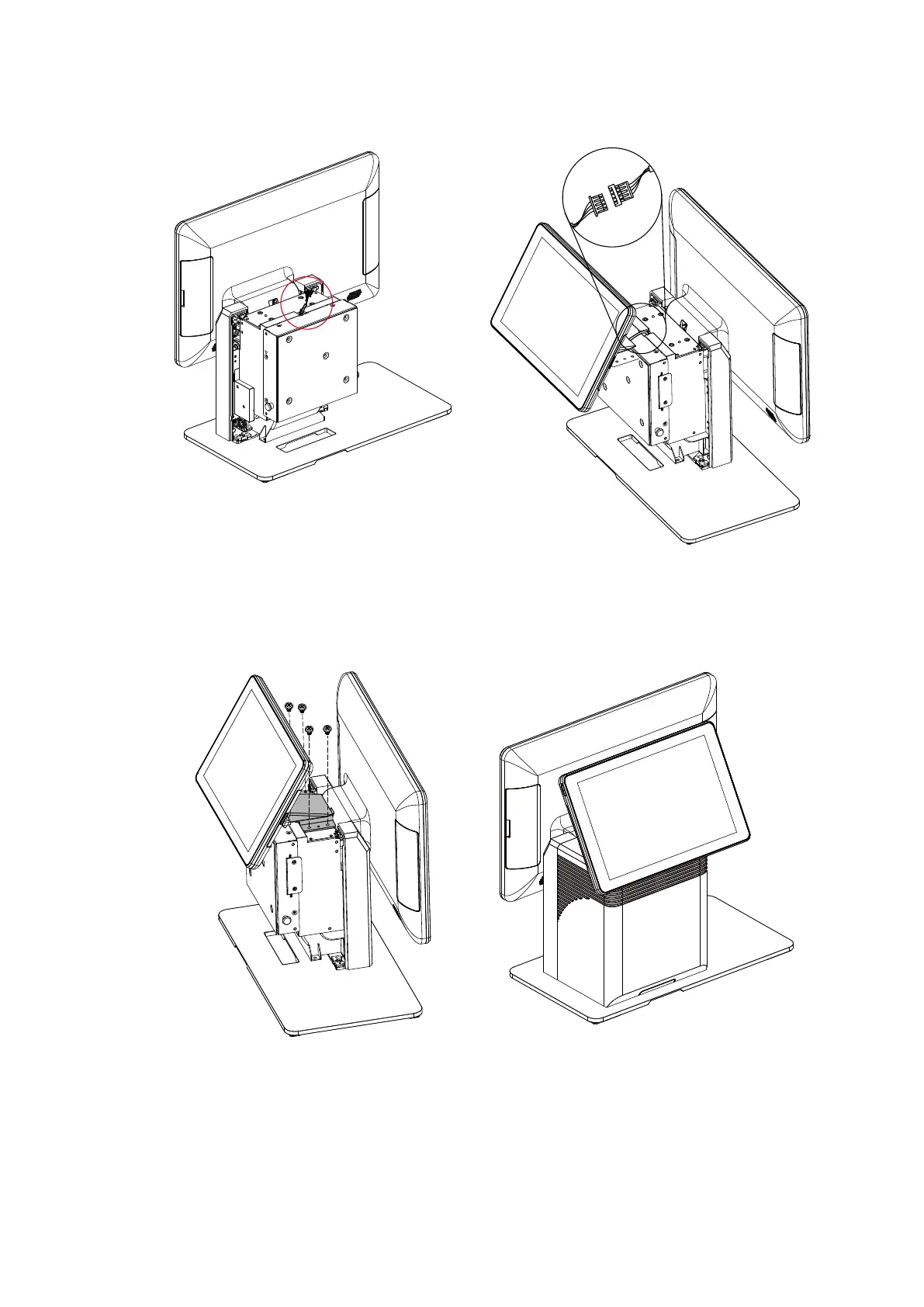
Install the 2
nd
Display Module
1. Follow the steps decribed in Chapter 3-1 to open the back cover of the system
first.
2. After opening the back cover, you will find the 2
nd
display connector located
inside. Connect this connector to the other end of the connector of the 2
nd
display
module.
3. Finally, fasten the screws(x4) to secure the 2nd display module to the system.



 To Next Page