4-4.
Load the Thermal Printer Paper
Note: Do not switch off the system. The printer must be powered on when
replacing the printer paper.
Integrated printer only available in select models
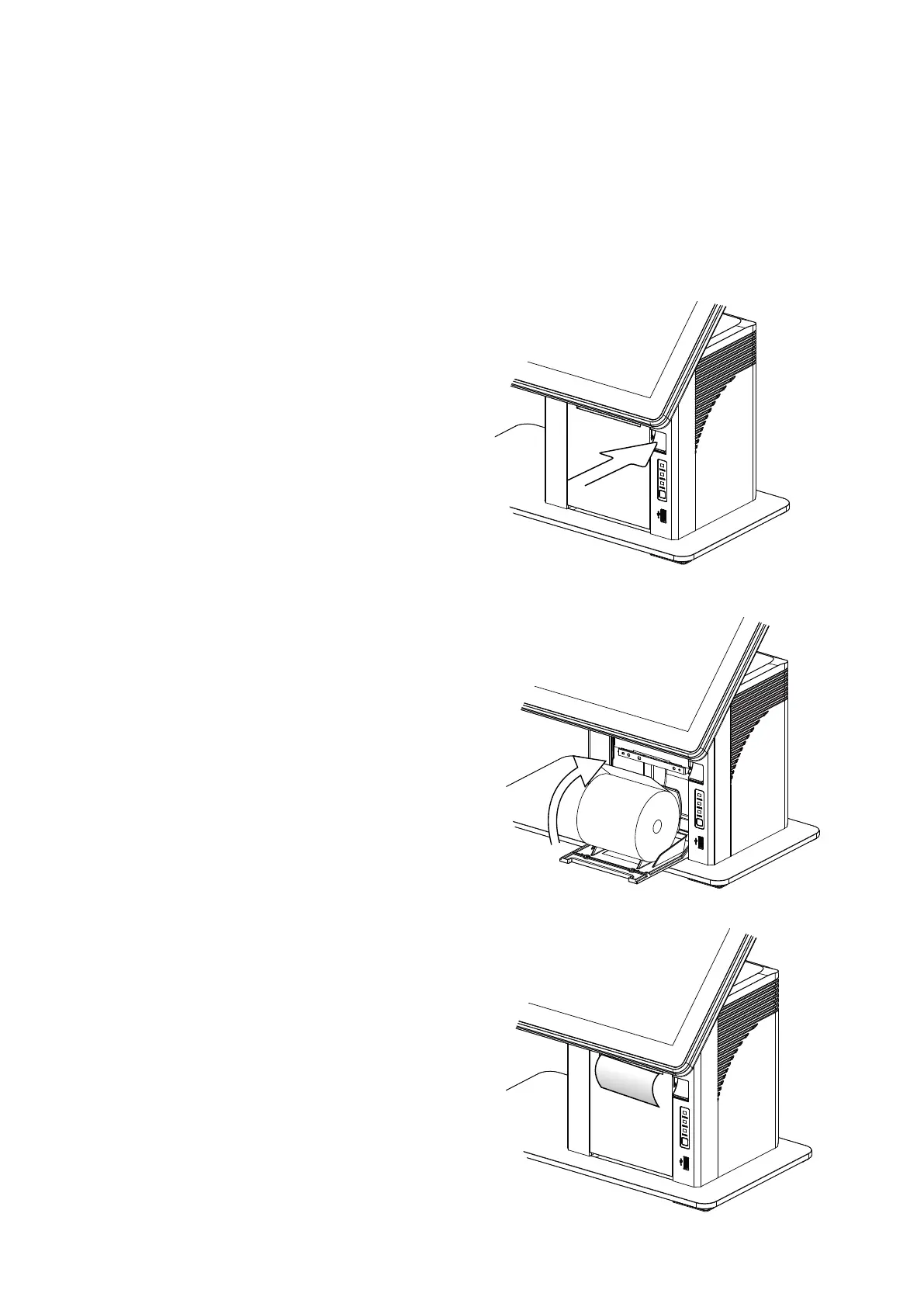
1. Press the button at the right side to
open the thermal printer module.
*
Cut away the first two (2) inches of
the paper, to obtain a straight
edge and remove the label at the
end of the roll.
2. Place the paper roll inside the
printer slot, pull out 2 or 3
inches of paper and then close
the cover.
3. The paper will feed automatically
through the printer (the system
must be powered on).



 To Next Page