Pic. 1 Pic. 2
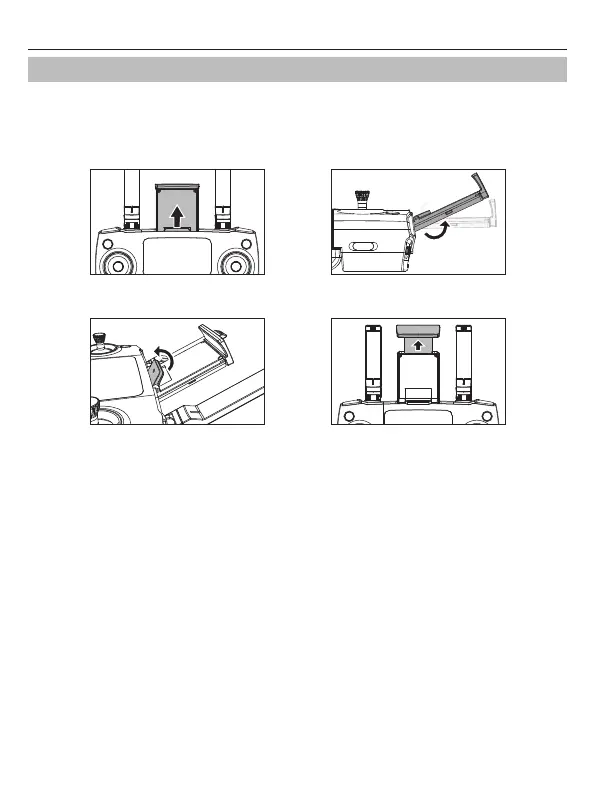
1. Pull out the mobile phone holder upwards completely (Pic. 1);
2. Tilt the holder 30 degrees towards you and then you will hear a click sound (Pic. 2);
3. Rotate and fix the support board in place (Pic. 3);
4. Adjust the mobile phone holder upward or downward according to the size of your mobile phone
(Pic. 4).
Pic. 3 Pic. 4
Install the Mobile Phone Holder
Potenstic D88 User Manual
-20-



 To Next Page