EasyManua.ls Logo

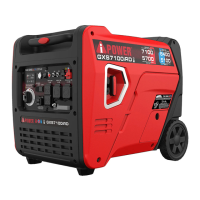
Power GXS7100iRD - User Manual

Power GXS7100iRD
43 pages
Print Icon
To Next Page IconTo Next Page
Loading...
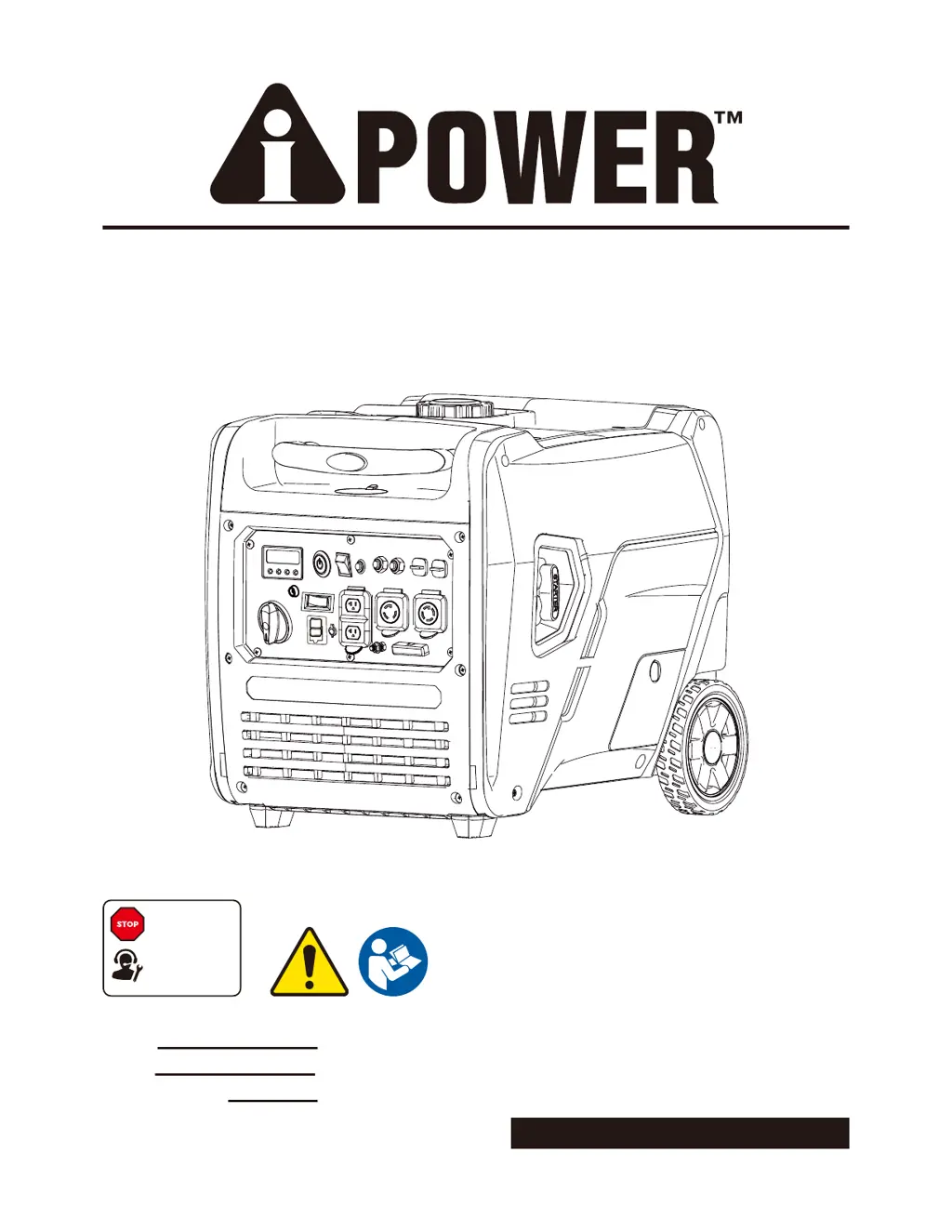
PORTABLE GENERATOR
Owner’s Manual
P/N: 32082-04705-03
Model:
Serial:
Date Purchased:
Model# 3222003 REV01
SAVE THIS MANUAL FOR FUTURE REFERENCE
DO NOT RETURN
TO STORE!
CALL US FIRST
855-888-3598
FOR SUPPORT
GXS7100iRD

Questions and Answers

  • M
    marc17Aug 10, 2025
    Why does my Power Portable Generator lack power?
    • K
      Karen DavisAug 10, 2025
      Your Power Portable Generator may lack power because: * The load is too high: Reduce the load. * The air filter is dirty: Replace the air filter. * The fuel filter is clogged or dirty: Clean or replace the fuel filter. * The spark arrester screen is clogged or dirty: Clean or replace the spark arrester screen. * Bad fuel: Drain the gas tank and carburetor; fill with fresh fuel.
  • S
    Samuel ChambersAug 15, 2025
    What to do if Power GXS7100iRD engine shuts down while running?
    • K
      khughesAug 15, 2025
      If your Power Portable Generator's engine shuts down while running, it could be due to: * Being out of fuel: Refill the fuel tank. * A dirty air cleaner: Clean or replace the air cleaner. * Low oil level: Fill the crankcase to the proper level or place the generator on a level surface. * Shut off due to CO accumulation & blinking red indicator light: Follow all safety instructions on CO Action Label. * Being out of gasoline or propane/LPG: Fill the fuel tank with gasoline or replace the LPG cylinder/check the propane/LPG supply.
  • W
    Wesley CampbellAug 20, 2025
    What to do if there is no AC output from my Power GXS7100iRD Portable Generator?
    • P
      ppriceAug 20, 2025
      If your Power Portable Generator's engine is running but there is no AC output, the AC circuit breaker may be open. Check the AC load and reset the circuit breaker. Also, correct any ground fault and press the reset button on the GFCI outlet. Connect another device that is in good condition.
  • L
    Lori ReynoldsAug 25, 2025
    Why does my Power GXS7100iRD Portable Generator engine bog down when a load is connected?
    • G
      griffinlarryAug 25, 2025
      If your Power Portable Generator engine runs well at no-load but bogs down when a load is connected, it could be due to: * A short circuit in a connected load: Disconnect the shorted electrical load. * The load is too high: Reduce the load. * The fuel filter is dirty: Clean or replace the fuel filter. * Connect another device that is in good condition.
  • W
    William MoralesAug 29, 2025
    What causes my Power GXS7100iRD engine to hunt or falter?
    • J
      Joseph JosephAug 29, 2025
      If your Power Portable Generator engine “hunts” or falters, it could be due to: * A clogged or dirty fuel filter: Replace the fuel filter. * The choke being opened too soon: Set the choke to the halfway position until the engine runs smoothly.
  • K
    Katelyn BrownNov 4, 2025
    Why won't my Power GXS7100iRD start?
    • J
      Joyce GarciaNov 4, 2025
      Your Power Portable Generator might not start due to several reasons: * The engine switch is set to the OFF position: Set it to the ON position. * The fuel valve is in the OFF position: Move it to the ON position. * Low oil level: Fill the crankcase to the proper level or place the generator on a level surface. * Dirty air filter: Clean or replace the air cleaner. * Out of fuel: Fill the fuel tank. * Stale fuel: Drain the fuel tank and carburetor and fill with fresh fuel. * Spark plug wire not connected: Connect the wire to the spark plug. * Bad spark plug: Replace the spark plug. * Water in fuel: Drain the gas tank and carburetor and fill with fresh fuel. * Flooded engine: Wait 5 minutes and re-crank the engine. * Clogged or dirty fuel filter: Replace the fuel filte...

Summary

Introduction to the Manual

Thorough Manual Review

Emphasizes the importance of reading the entire manual before use for safe operation.

Safety Information

General Safety Precautions

Provides essential safety guidelines and warnings to prevent injury and hazards.

Definitions and Safety Symbols

Explains safety alert words (DANGER, WARNING, CAUTION, NOTICE) and their meanings.

General Safety Precautions

Carbon Monoxide (CO) Hazards

Details the dangers of carbon monoxide gas from generator exhaust and safe operating practices.

Safety Alerts and Warnings

Covers various hazards like electrocution, fire, and mechanical risks associated with generator use.

Generator Usage Locations

Correct Usage Areas

Illustrates proper outdoor placement for reducing carbon monoxide risk.

Prohibited Usage Areas

Lists locations where generator operation is unsafe due to CO accumulation.

Fuel Safety Guidelines

Gasoline Fuel Safety

Covers hazards associated with gasoline and its vapors, including flammability.

Propane;LPG Fuel Safety

Highlights the flammability and explosive risks of propane and LPG.

Fueling and Draining Procedures

Provides instructions on safely adding or draining fuel, including precautions.

Starting Generator Fuel Checks

Ensures proper fuel system components are in place before starting the generator.

Generator Operation Safety

Safe Operating Practices

Details safety measures during generator operation, like avoiding spills and movement.

Transport and Repair Safety

Outlines safety procedures for moving, transporting, or repairing the generator.

Fuel Storage Safety

Provides guidelines for safe storage of fuel and the generator with fuel.

Generator Handling and Maintenance Safety

Hot Surfaces and Rotating Parts Safety

Warns about hot components and entanglement risks from moving parts.

Speed Governor and Modifications

Advises against tampering with governor settings and unauthorized modifications.

Generator Capacity Limits

Explains the risks of exceeding wattage/amperage capacity and how to connect loads.

Proper Generator Treatment

Guidelines for using the generator correctly to prevent damage and ensure longevity.

Controls and Features Overview

Control Panel Identification

Identifies the main control panel and its components.

Generator Component Identification

Labels external parts of the generator like handle, fuel cap, and wheels.

Control Panel Features Explained

Detailed Control Panel Layout

Describes each numbered control and outlet on the generator's control panel.

LED Data Center Functionality

Multi-Meter Display Functions

Explains how the LED Multi-Meter displays voltage, power, fuel, and running time.

Low Idle and Overload Indicators

Details the function of the Low Idle button and Overload Rest button/indicator.

Remote Control Programming

Generator Specifications

CO WATCH-GUARD System

CO Detection and Auto Shutoff

Describes the CO sensor system that monitors and shuts off the generator if CO levels rise.

CO System Action Label

Provides instructions for actions to take if the generator triggers CO warnings.

CO WATCH-GUARD System Warnings

CO System Tampering Risks

Warns against tampering with the CO system, which can cause serious injury or void warranty.

Engine Oil Management

Adding Engine Oil and Viscosity Chart

Guides on selecting and adding the correct engine oil based on ambient temperature.

Low Oil Shutdown System

Explains the function of the low oil sensor that prevents engine damage.

Battery Cable Connection

Instructions for connecting the generator's battery for initial setup.

Adding Gasoline

Gasoline Safety and Requirements

Details safety hazards of gasoline and specifies required fuel types and octane ratings.

Gasoline Fueling Procedure

Step-by-step guide for safely filling the generator's gasoline tank.

Gasoline Storage and Tank Cleaning

Advice on storing gasoline and cleaning the fuel tank to prevent contamination.

Adding Propane;LPG

Propane;LPG Safety and Requirements

Covers safety precautions for propane/LPG, including cylinder handling and leak checks.

Propane;LPG Hose Connection

Instructions for connecting the propane/LPG hose and regulator to the generator.

Fuel Selection and Altitude Operation

FUEL SENSE Technology

Explains the automatic fuel switching between gasoline and propane/LPG.

High Altitude Operation

Provides guidance on operating the generator at high altitudes and potential adjustments.

Electrical Safety and Grounding

Connecting to Building Electrical System

Details requirements for connecting the generator to a home's electrical system safely.

Generator Operation Procedures

Generator Location and Surge Protection

Covers safe placement and protecting electronics from voltage fluctuations.

Pre-Start Checks and Voltage Selector

Ensures the generator is ready for startup and explains the voltage selection switch.

Starting the Generator

Fuel Source Selection

Guides on selecting gasoline or propane as the fuel source before starting.

Starting Methods

Details how to start the generator using remote, electric, or recoil methods.

Connecting Electrical Loads

Load Connection Procedure

Step-by-step instructions for safely connecting electrical devices to the generator.

Engine Idle and Shutdown

Low Idle Switch Operation

Explains how the Low Idle switch affects engine speed, fuel consumption, and noise.

Engine Stopping Procedures

Provides instructions for safely shutting down the generator and its engine.

Generator Load and Fuel Management

Preventing Generator Overload

Guidelines to avoid overloading the generator and damaging connected devices.

Changing Fuel Types

Details the process and safety precautions for switching between fuel sources.

FUEL SENSE Logic

Explains how the FUEL SENSE technology automatically selects fuel.

Parallel Operation Setup

Parallel Operation Warnings

Highlights critical safety warnings for connecting multiple generators.

Generator Setup and Spacing

Instructions for positioning and preparing two generators for parallel operation.

Parallel Operation Procedure

Connecting Generators for Parallel Use

Steps for connecting generators using the parallel kit for increased power output.

Load Connection Order for Parallel Operation

Recommends connecting largest loads first to prevent overloading in parallel mode.

Maintenance and Storage Schedule

Routine Maintenance Schedule

Outlines recommended maintenance intervals for optimal performance and longevity.

Walk-Around Inspection Checklist

Lists key visual checks to perform before starting the generator.

Engine Maintenance Procedures

Engine Oil Level Check

Details how to check the engine oil level using the dipstick.

Engine Oil Change

Provides instructions for draining and refilling the engine oil.

Air Filter Maintenance

Explains how to clean or replace the air filter element.

Component Maintenance

Battery Replacement

Guides on safely replacing the generator's battery.

Spark Plug Maintenance

Instructions for checking, cleaning, and gapping the spark plug.

Spark Arrestor and Generator Cleaning

Cleaning the Spark Arrestor

Details how to clean the spark arrestor to prevent fire hazards.

Generator Exterior Cleaning

Provides methods for cleaning the generator's exterior surfaces safely.

Generator Storage Procedures

Short Term Storage

Instructions for preparing the generator for storage periods up to 30 days.

Long Term Storage

Steps for preparing the generator for storage exceeding one year.

Draining the Carburetor Float Bowl

Procedure for draining the fuel from the carburetor float bowl.

Troubleshooting Common Issues

Parts Diagram and List

Parts List Details

Circuit Diagram

Warranty Information

Limited Warranty Terms

Outlines the duration and coverage of the limited warranty for residential and commercial use.

Obtaining Warranty Service

Provides instructions on how to contact customer service for warranty claims.

Warranty Exclusions

Lists conditions and parts not covered by the generator's warranty.

Warranty Limitations and Returns

Warranty Limits and Damages

Specifies limitations on warranty claims, including consequential damages.

Merchandise Return Guidelines

Details the procedures and requirements for returning merchandise.

Power GXS7100iRD Specifications

General IconGeneral
BrandPower
ModelGXS7100iRD
CategoryPortable Generator
LanguageEnglish

Related product manuals