24
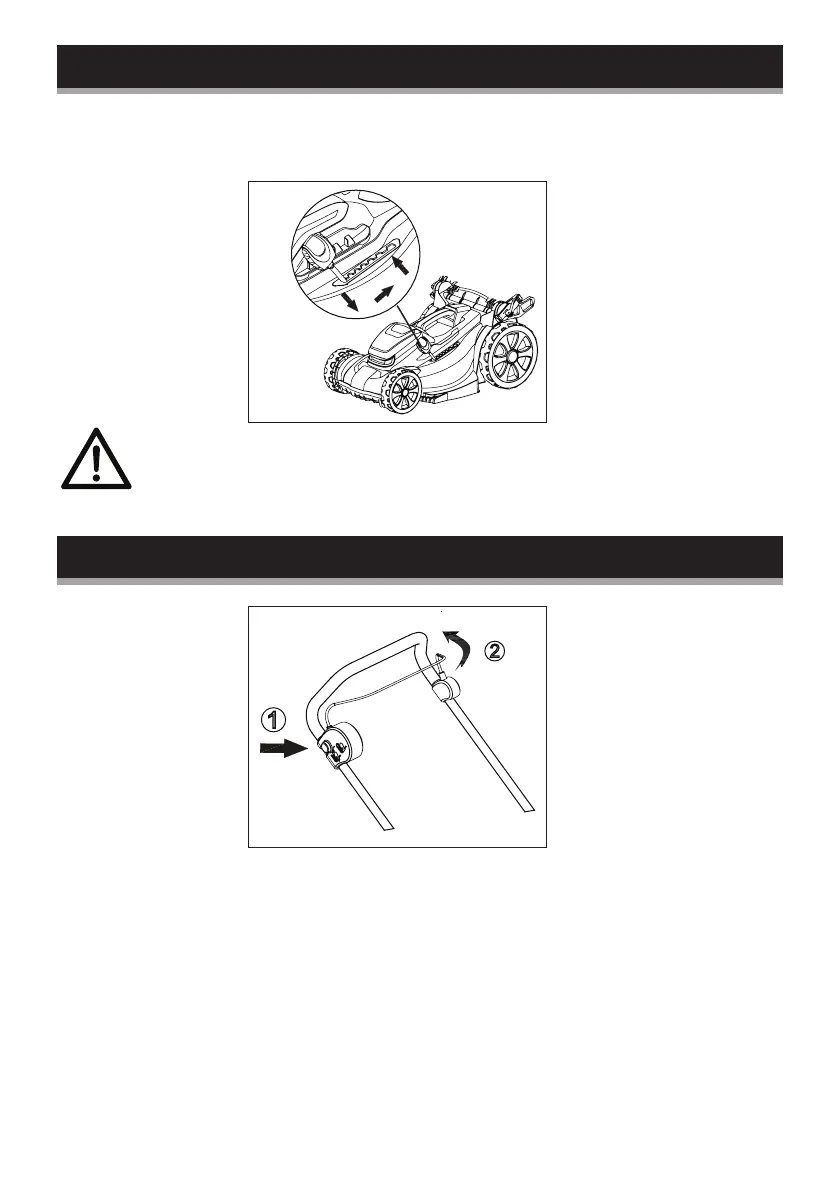
Setting the cutting height
If you wish to change the cutting height, push the adjusting lever
first to make it out of the tooth and then push the lever to the
desired position.
WARNING: Never operate the adjusting handle roughly.
Switching on and off
Switch on:
1. Press and hold the safety button on the side of the switch box
with one hand.
2. Pull the switch bar towards the handle and hold it with the
other hand.
3. Release the safety button.
Switch off:
Release the switch bar.
1
2



 To Next Page