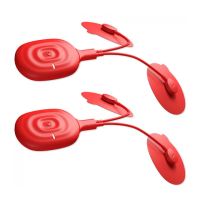
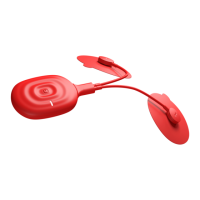
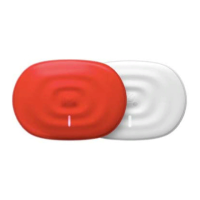
11
Power/StimulationLEDisORANGE–yourPowerDotisinStimulationmode.
WARNING!Neverde‐attach padsfrom thebodyortouchunstuckor partiallyunstuckpadswhen
PowerDot is in Stimulation state.Always PAUSE your stimulation session and make sure that
Power/StimulationLEDiseitherBLUEorcompletelyOFFbeforetouchingpadssurface.
CHARGING LED is ORANGE‐the device is charging
its battery. Device can’t be charging and stay in
stimulationmodesimultaneously,hence,youwillneverbeabletoseeCHARGINGLEDontogetherwith
Power/StimulationLEDbeingORANGE.
WARNING!NEVERchargePowerDotwhenitiswornonthebodyorheldinthehand.Alwaysuse
an original charging cable provided. Never charge PowerDot from unreliable or problematic power
sources!
TactilePowerButton(2)Modes:
PowerButtonAction DeviceInitialState DeviceResultingState
Holdfor~1second DeviceisinOFFstate(Po werLEDis
OFF)
Device moves into ON state (Power
LEDbecomesON)
Holdfor~0.5seconds Deviceisin ONstate (PowerLEDis
ON)
User confirmed readiness for the
stimulationsession
ShortClick Deviceisin ONstate(Power LED is
ON)
Device moves into OFF state (Power
LEDbecomesOFF)
ShortClick Device is in STIMULATION state
(StimulationLEDisON)
Stimulation is stopped and device
movesintoONstate
Holdfor10seconds Device is in OFF state (Power LED
blinks3timesandthenturnsOFF)
Activationlockremoved,deviceisOFF
Micro‐USBconnector(3):
PowerDotusesthesamehighvoltagemicro‐USBconnector(5)forbothleadsconnectionandcharging.
Ifdeviceisoperatinginstimulationmode,itwillbestoppedimmediatelyonceleadsareunpluggedfrom
micro‐USBconnector.
Whendeviceis in chargingmode and notcompletely charged
as yet,Charging LED (4) willbe ON. See
Re‐ChargingPowerDotsectionofUserManualformoreinformationonPowerDotcharging.


 To Next Page