25
BASICTROUBLESHOOTING
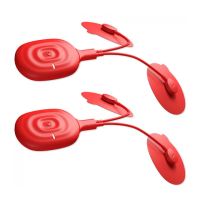
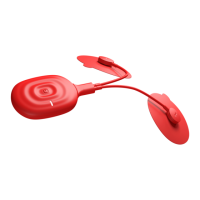
DEVICEISFAILINGTOTURNON
You’reverylowonyourbattery.Pleasere‐chargeyourbattery.Fullchargingtimeforthebatteryis
around60minutes.
WHENONPRE‐STIMULATONAPPLICATIONSCREEN,DEVICE(S)NEVERGETSCONNECTED.
Your Bluetooth connectivity with PowerDot device can’t be established to some reason.
Check Device
Settingsmenutomakesurethatthedeviceyou’retryingtouseisinthelistofactivedevices.
Make sure your PowerDot device is turned on (Power/Stimulation LED is BLUE) and the battery is
charged.
Ifdeviceischarged,activatedandthedevice(s)stillisnotgetting
connected,tryturningoffthedevice(s),
restartingPowerDotMobileApplication,turningonthedeviceandtryingagain.
STIMULATIONISNOTPRODUCINGTHEUSUALSENSATION
Checkthatyouareusingtherightprogramandthatpadshavefullconta ctandarepositionedproperly.
Pauseyourstimulation,re‐attachorchangeofthe
positionofthepadsandthenresumeyourstimulation.
THESTIMULATIONCAUSESDISCOMFORTORBURNING
Ifyou’reusin gyourstandardintensitymodes,thanmostprobablyyourpadsarewornoutandarelosing
their bonding strength. Pause your stimulation and try re‐attaching your pads. If after resumption the
same
sensationcontinues,considerreplacingyourpads.
PADSDON’TADHERETOTHEBODYORSTIMULATIONISVERYWEAKEVENWHENINT ENSITYISHIGH
Considerreplacingyourpads.Mostprobablythey’rewornout.
FAILINGTOLOCATEDEVICEFORACTIVATION
Most probably your device is already activated to other mobile phone. To deactivate, make
sure your
deviceisturnedONandthenholdTactileMulti‐Functionfor10secondstillyourPower/StimulationLED
blinksfor3timesanddevicepowersOFFitselfafter.TurnONthedeviceandtrysearchingforitagain.


 To Next Page