GB/MT 33
Only use the same type of batteries /
rechargeable batteries. Do not mix used
and new batteries / rechargeable
batteries.
Remove the batteries / rechargeable
batteries if the product will not be used
for a longer period.
Risk of damage of the product
Only use the specified type of battery /
rechargeable battery!
When inserting ensure the correct
polarity! This is shown inside the battery
compartment!
Clean the contacts on the battery and
in the battery compartment before
inserting!
Remove exhausted batteries /
rechargeable batteries from the product
immediately.
Before start of operation
Insert / replace battery
Tip: Low voltage symbol showing in the LCD display
3
indicate a discharged / flat battery.
Tip: When changing the battery, the LCD display
3
may
experience faults. Remove the battery and insert it again.
Push the battery compartment button
4
, and then pull out
the battery receptacle
7
(see fig B).
Remove the old battery.
Insert battery receptacle containing the new battery into the
battery compartment and ensure correct polarity (+ and –).
Make sure that the plus terminal points outwards.
Push the battery receptacle
7
fully in (see Fig. B).
Starting up the device
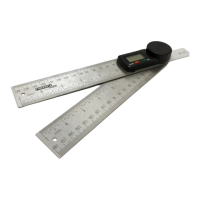
Using the angle ruler
Press the ON / OFF button
5
to switch the LCD
display
3
on.
Loosen the locking knob
2
by turning it anti-clockwise.






 To Next Page