11
PTSI 9 A1
GB
IE
Scanning a temperature deviation
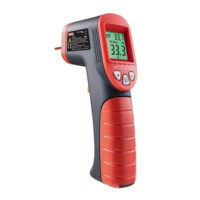
♦ Press the measuring button and point the laser dot on the
spot to be measured. The temperature is shown in the display
.
♦ While scanning, hold the measuring button
down and
move the laser dot slowly and continuously over the surface
to be measured. The temperature deviations between the
reference and measurement values are presented as follows:
Colour
display
Signal tone Result
Red fast
Upper temperature
threshold exceeded
Green not available
Within the temperature
threshold
Blue slow
Lower temperature
threshold not reached
Example of application
For example, to check the penetration of cold air into an interior
through a window, fi rst scan the temperature around the frame
immediately adjacent to the closed window. Select the warmest
part of the frame as a reference temperature and then, for
example, a temperature diff erence of 3°C/5°F.
Now scan again, evenly, all around the frame directly next to the
window. A possible ingress of cold air of more than 3°K diff erence
is indicated by the blue colour display and by a slow signal tone
sequence.
Battery indicator
A battery icon appears in the display when the battery
voltage is too low.
♦ Insert a new battery as described in the section “Inserting/
Replacing the battery”.





 To Next Page