10 GB/IE
Replace the battery compartment and tighten
the screw.
Start-up
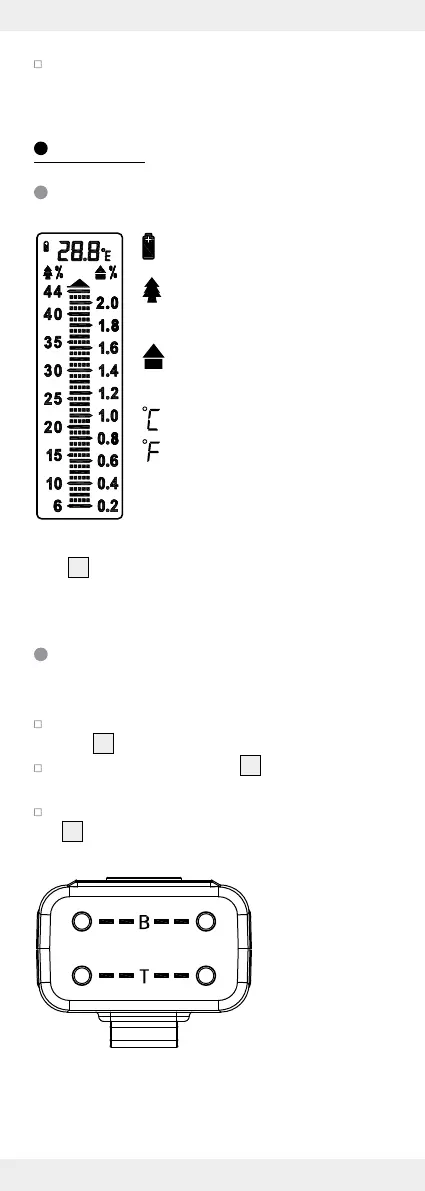
Display
Replace the batteries when this
symbol appear
s.
The scale at the left indicates
the wood moisture from
6–44 %.
The scale on the right shows
the building moisture from
0.2–2.0 %.
The temperature is shown on
the display in either Celsius
(°C) or Fahrenheit (°F) as
required.
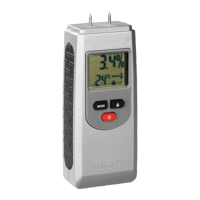
The measurement is shown in the middle of the dis-
play
3
using gauge marks. On the left scale easy
line represents 1 %, in the right scale it‘s 0.05 %.
Measuring building or
wood moisture
Before measuring, first remove the protective
cap
1
.
Push the ON / SET button
4
to switch the
device on.
Before making the first measurement, use a test aid
1
to verify the device is working properly. The
test aid has four measuring points marked B and T.


 To Next Page
 Loading...