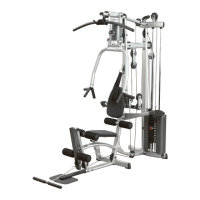
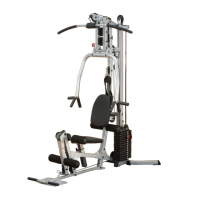
PCCO90X
STEP 4
BE CAREFUL TO ASSEMBLE ALL COMPONENTS
IN THE SEQUENCE THAT THEY ARE PRESENTED.
NOTE:
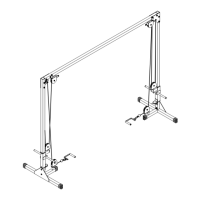
this step is intended to show you where the pulleys need to be installed
and what hardware you will need to install them. however, you must
install the pulleys the same time you route the cables which can be
found on the next step
4A. a pulley will be attached to both of the two pulley
holders (I) at the base of your PCCO90X using a
total of:
2 - (#12) 110mm pulley
2 - (#4) M10X40mm hex head bolt
2 - (#6) M10 nylon lock nut
4B. a pulley will be attached to both of the two mid pulley
holders (H) attached to the weight frames (D) using a
total of:
2 - (#12) 110mm pulley
2 - (#4) M10X40mm hex head bolt
2 - (#6) M10 nylon lock nut
4C. a pulley will be attached to both of the two mid pulley
holders (H) at the top of your PCCO90X using a
total of:
2 - (#12) 110mm pulley
2 - (#4) M10X40mm hex head bolt
2 - (#6) M10 nylon lock nut
4D. a pulley will be attached in between the connecting
brackets (E) and left support bracket (G) and right
support bracket (F) using a total of:
2 - (#12) 110mm pulley
2 - (#17) 5/8” pulley spacer
2 - (#3) M10X75mm hex head bolt
2 - (#6) M10 nylon lock nut
18


 To Next Page