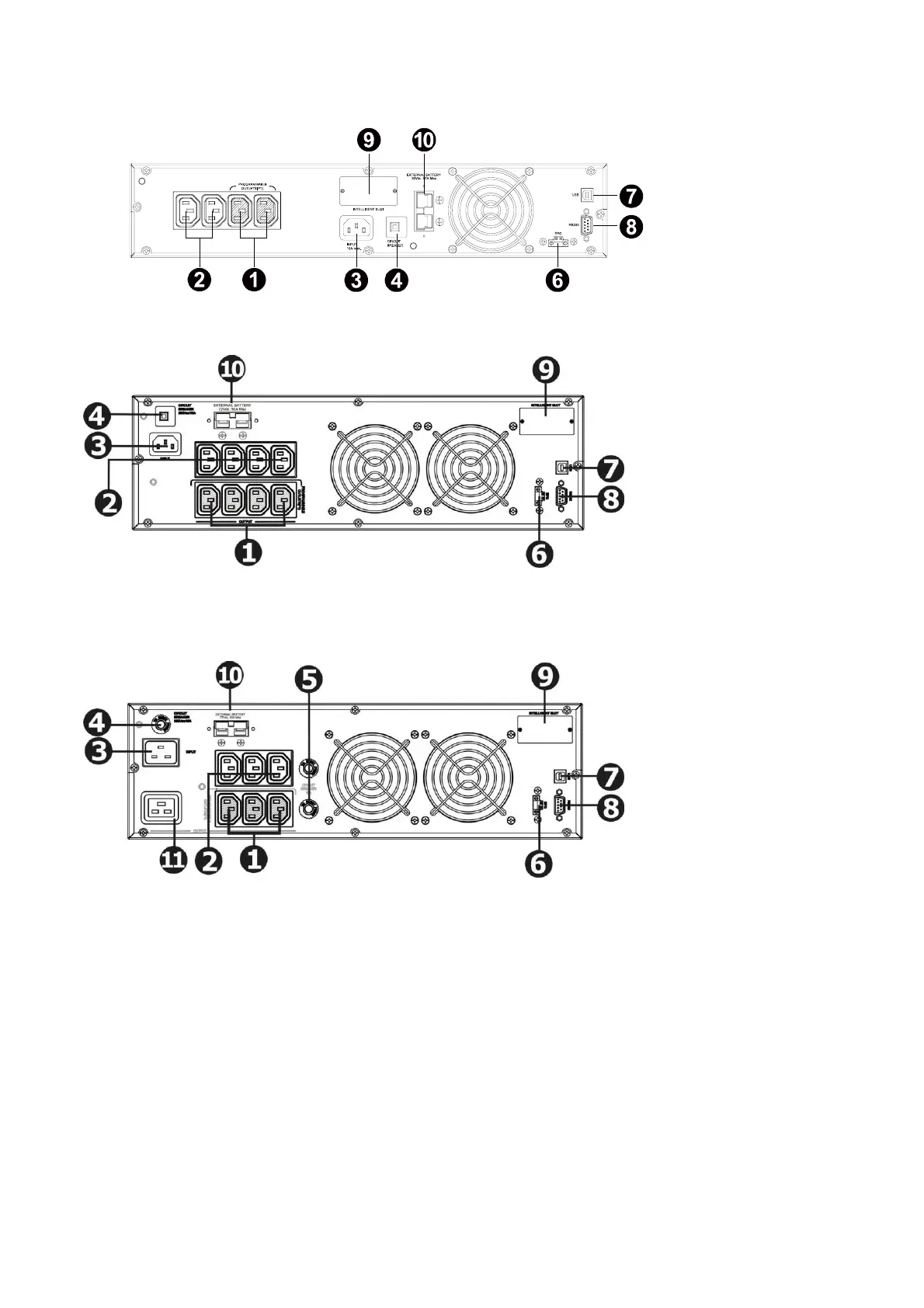
PSCER1000(L)/PSCER1500(L) RACK
PSCER2000(L) RACK
PSCER3000(L) RACK
1. Programmable outlets (WHITE COLOUR OUTLETS): connect to non-critical loads.
2. General outlets (BLACK COLOUR OUTLETS): connect to mission-critical loads.
3. AC input inlet
4. Input circuit breaker
5. Output circuit breaker
6. Emergency power off function connector (EPO)
7. USB communication port
8. RS-232 communication port
9. SNMP /AS400 intelligent slot
10. External battery connection
11. 15A outlet



 To Next Page