7
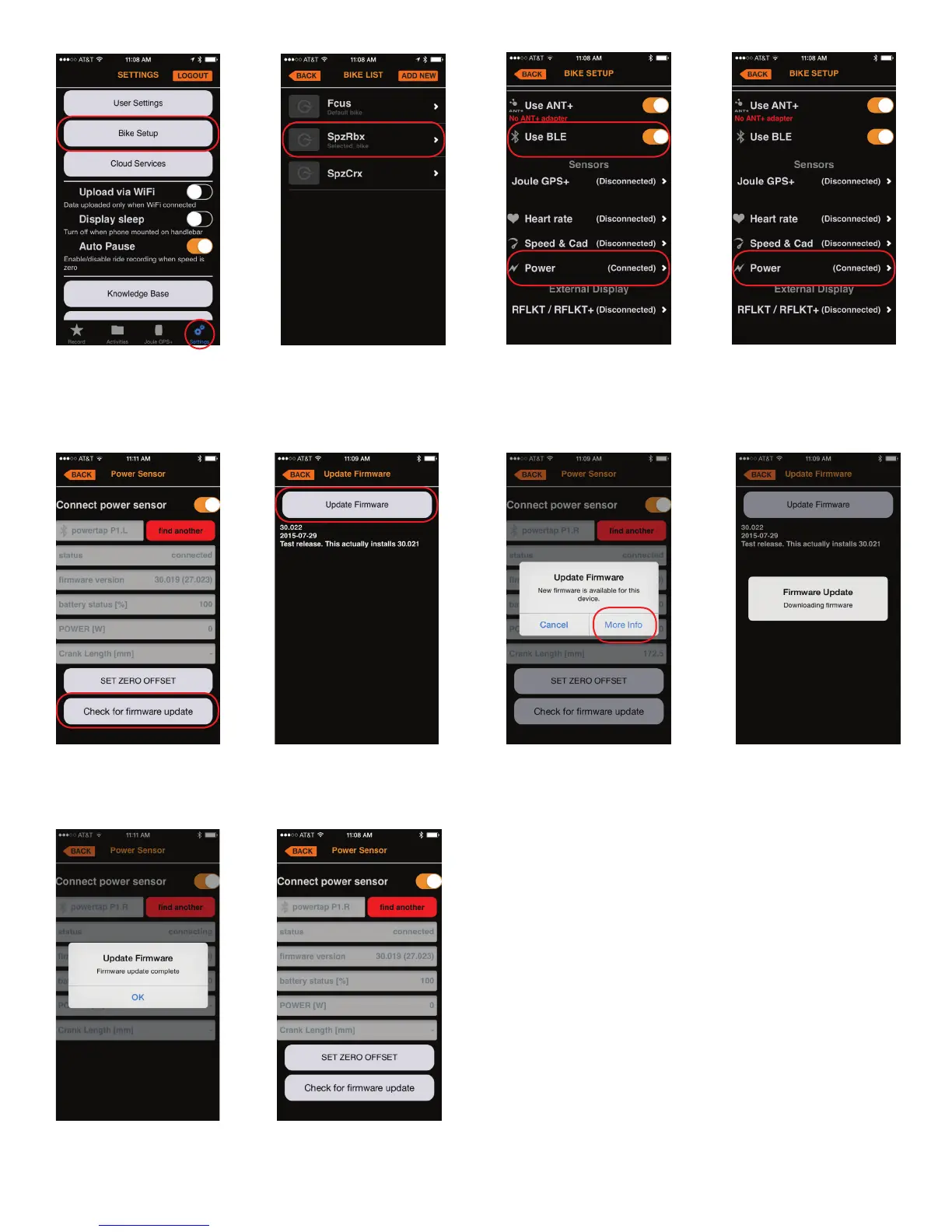
From the Settings page in
PowerTap mobile select Bike
Setup.
From the Bike List choose
the bike the pedals are
under.
Make sure the pedals are
awake indicated by the con-
nected message next to the
sensor. Note: Use BLE must
be turned on.
Select the power
sensor you would like to
update.
Select Check for firmware
update to see if one is
available.
If a new firmware
version is available select
More Info to update.
Firmware Update process
will happen automatically.
Select Update Firmware
Once firmware update is
complete select OK.
Right and Left pedals must
be updated individually.
Follow the same process to
update the other sensor.



 To Next Page