6
FIRMWARE UPDATES
Firmware on the pedals can be updated wirelessly when new firmware releases are available. To enjoy the full
capabilities of the P1 Pedals including ongoing enhancements and Over-the-Air firmware updates you must
download PowerTap Mobile App from the App Store.
Note: PowerTap mobile is currently only available on iOS for iPhone 4s or later, iPod Touch 5th generation or later,
or iPad Mini/iPad 3 or later.
To check for/or perform over the air (OTA) firmware update follow the steps below.
Bluetooth must be turned “on” on
1) your iOS device (iPhone, Touch, iPad).
2) Bluetooth must be turned “on” in the PTM app (see switch “Use BLE”; BLE= Bluetooth Low Energy).
3) Follow the onscreen directions on the next page.
CHAPTER 7: FIRMWARE
CHAPTER 6: BATTERY REPLACEMENT
BATTERY REPLACEMENT
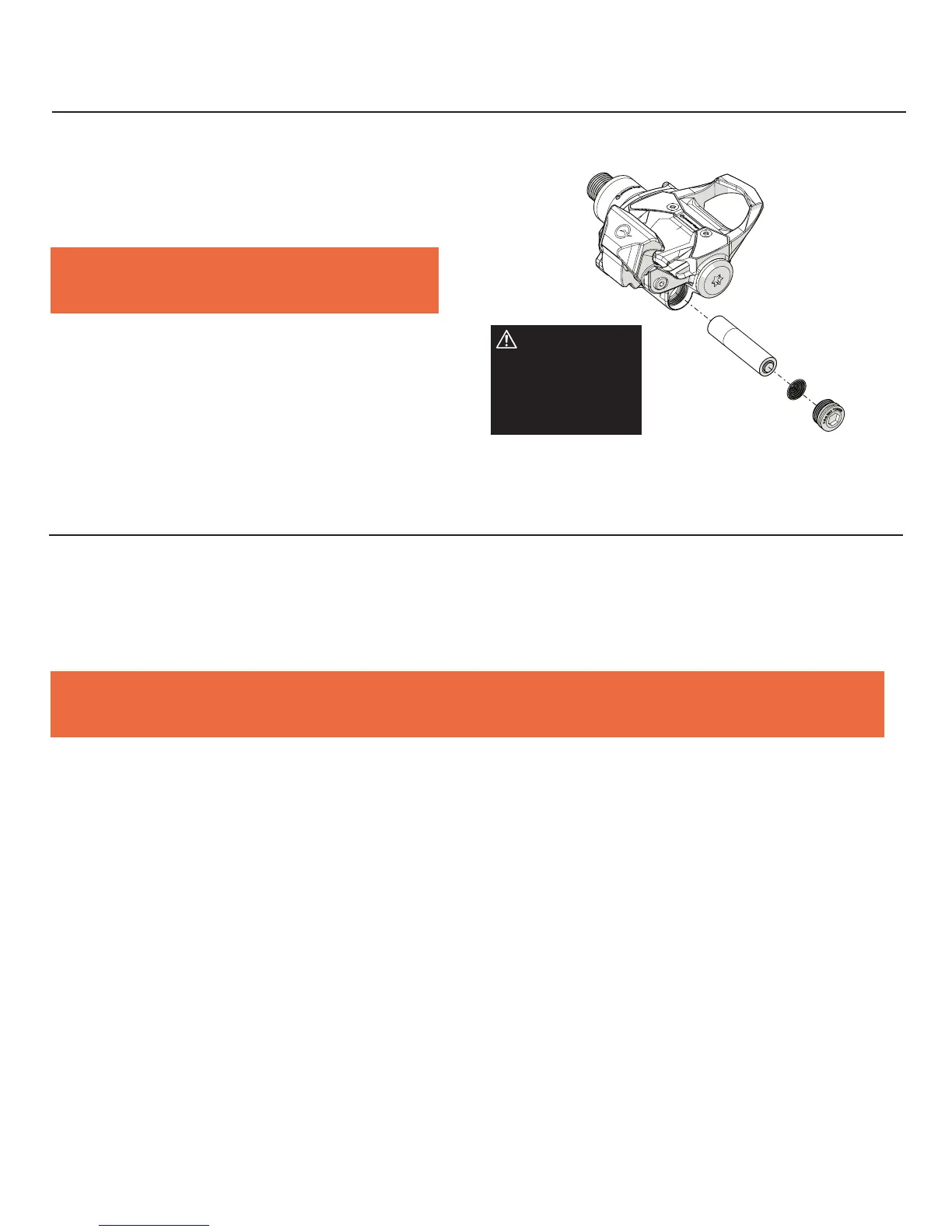
To install or replace the battery use a 6mm hex to remove the battery
cover. Remove old battery if necessary and replace with new battery.
Reference underside of pedal for correct battery orientation. Reinstall
battery cover but do not overtighten.
Note: For best results and to reduce the risk of battery
discharge we STRONGLY recommend using Lithium batteries.
IMPORTANT:
Ensure the o-ring
clears the outer
edge of the battery
compartment during
installation.



 To Next Page