EasyManua.ls Logo

PowerTec PL1252 - User Manual

PowerTec PL1252
20 pages
Print Icon
To Next Page IconTo Next Page
Loading...
Owner’s Manual
Model No. PL1252
You will need this manual for safety instructions, operating procedures, and warranty.
Put it and the original sales invoice in a safe, dry place for future reference.
15-0720
QUESTION...
1•877•393•7121
Visit us on the web at www.powertecproducts.com
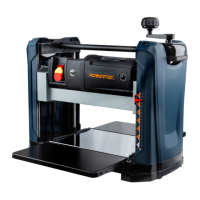
12-1/2" THICKNESS PLANER
1•847•780•6120

Questions and Answers

  • A
    Andrea FreemanAug 18, 2025
    Why won't the motor start on my PowerTec PL1252 Planer?
    • B
      Brandon NelsonAug 18, 2025
      If the motor of your PowerTec Planer won't start, several factors could be at play. It could be due to low voltage, so check the power supply. There might be a short circuit in the line cord or plug, so inspect them for faulty insulation. Also, check the motor connections for shorts or open circuits. Ensure you're using the correct fuses or circuit breakers and replace them if needed. The switch might be defective, in which case, replace it. Finally, if the motor overload tripped the circuit breaker, turn off the machine and reset the overload protection.
  • D
    Dawn FloresAug 20, 2025
    What to do if my PowerTec PL1252 Planer motor stalls or fails to reach full speed?
    • M
      Mary CohenAug 20, 2025
      If your PowerTec Planer motor stalls or doesn't reach full speed, it could be due to a power overload. Reduce the workload on the power supply. Check the power supply for proper voltage. An undersized line cord can also cause this, so use an adequate size cord or reduce the wiring length. Reduce the load on the motor to prevent motor overload. Inspect the motor connection for shorts or looseness. Ensure you're using the correct fuses or circuit breakers and replace them if necessary. Lastly, inspect the chip blower assembly and fan belt to remove excessive wood chips that may be clogging the system.
  • M
    mckeechristopherAug 23, 2025
    Why is my PowerTec PL1252 Planer frequently tripping the circuit breaker?
    • M
      Mrs. Rachel CooleyAug 23, 2025
      If your PowerTec Planer experiences frequent tripping of the circuit breaker, the cause could be motor overload, so reduce the load on the motor. It may also be due to inadequate capacity of the circuit breaker; replace it with the correct one. Another cause may be circuit overload, so reduce the circuit load. Finally, dull blades can cause this issue, so sharpen or replace them.
  • B
    Brittany CurtisAug 26, 2025
    What to do if my PowerTec Planer motor overheats?
    • L
      lharperAug 26, 2025
      If the motor of your PowerTec Planer overheats, it might be overloaded, so reduce the load and turn off the machine until it cools down. Also, excessive dust build-up can decrease air circulation, so remove any dust.
  • V
    Vanessa OdonnellAug 28, 2025
    How to prevent snipe when using my PowerTec PL1252 Planer?
    • T
      Tyler RussellAug 28, 2025
      If you're experiencing snipe with your PowerTec Planer, ensure adequate support for the workpiece with an additional platform. Replace dull blades. Apply gentle, even force on the cutterhead during operation. Adjust the table and rollercase to ensure they are level. Ensure each workpiece is butted end to end as it passes through the planer.
  • J
    Jessica LewisAug 30, 2025
    Why is the surface not smooth after using my PowerTec Planer?
    • H
      hallantonioAug 31, 2025
      If the surface is not smooth after using your PowerTec Planer, try these solutions: replace the blades if they are dull. If there's fuzzy grain due to high moisture content in the wood, use dry wood instead. If the grain is torn because the blades are cutting against the grain, change direction and feed the workpiece along the grain. If the cut is too deep, decrease the depth of cut.
  • S
    suzanne42Sep 2, 2025
    What causes difficulties in adjusting rollercase elevation on a PowerTec Planer?
    • K
      Kimberly MooreSep 2, 2025
      If you are experiencing difficulties in adjusting the rollercase elevation on your PowerTec Planer, it could be due to worn elevation screws, which would need replacement. Alternatively, the elevation screws or columns might be dirty; clean and lubricate them. Dirty chains or sprockets can also cause this issue, so clean and lubricate those as well. Ensure the rollercase is level with the planer base by making the appropriate adjustments. Lastly, check for friction between the rollercase and covers; clean and adjust the rollercase to resolve this.
  • R
    Russell WilliamsSep 4, 2025
    What causes uneven thickness from side to side with my PowerTec PL1252 Planer?
    • J
      Jeffrey BennettSep 4, 2025
      If your PowerTec Planer is producing uneven thickness from side to side, it is likely that the rollercase is not positioned level with the planer base. Adjust the table and rollercase to ensure they are properly leveled.
  • G
    greerrichardSep 7, 2025
    Why doesn't the wood thickness match the cut depth setting on my PowerTec PL1252 Planer?
    • A
      andrew95Sep 7, 2025
      If the wood thickness from your PowerTec Planer does not match the depth of cut setting, the indicator is likely not set correctly. Adjust and tighten the indicator properly.
  • M
    Michael RomeroSep 9, 2025
    What causes chain jumping on my PowerTec PL1252 Planer?
    • M
      Maria WagnerSep 9, 2025
      If the chain is jumping on your PowerTec Planer, it could be due to worn chains, which would need replacement. It could also be caused by worn sprockets, which also need to be replaced.

Summary

SAFETY RULES

WORK PREPARATION

Guidelines for wearing appropriate apparel and personal protective equipment.

WORK AREA PREPARATION

Recommendations for maintaining a clean, well-lit, and safe work environment.

TOOL MAINTENANCE

Instructions for keeping tools in peak condition for safe and optimal performance.

TOOL OPERATION

Precautions and best practices for operating the power tool safely.

ASSEMBLY

UNPACKING

Procedures for checking the package for damage and accounting for all parts.

INSTALL ELEVATION CRANK HANDLE

Steps to install the elevation crank handle onto the planer.

POWER SOURCE

Guidelines for connecting the machine to a suitable power supply.

GROUNDING INSTRUCTIONS

Importance of proper grounding to prevent electrical shock hazards.

EXTENSION CORDS

Recommendations for selecting and using appropriate extension cords.

ELECTRICAL CONNECTIONS

Detailed instructions for safe electrical connections and wiring.

OPERATION

SAFETY PRECAUTIONS

Essential safety measures to follow before and during tool operation.

ROLCERCASE HEIGHT ADJUSTMENT

How to adjust the rollercase height for planing operations.

DEPTH OF CUT

Understanding and setting the depth of cut for efficient planing.

ON;OFF SWITCH

Location and function of the power switch and key lock mechanism.

CIRCUIT BREAKER

Function of the circuit breaker and how to reset it.

BEFORE OPERATING THE PLANER

Pre-operation checks and understanding of machine functions.

OPERATE THE PLANER MACHINE

Step-by-step guide on how to feed workpieces and operate the planer.

MAINTENANCE

CHECK AND REPLACE THE BLADES

Instructions for inspecting and replacing the planer blades.

INSPECT AND REPLACE THE MOTOR BRUSHES

Procedure for inspecting and replacing motor brushes.

ADJUST ROLLERCASE LEVEL

Steps to adjust the rollercase for even cuts.

REPLACE V-BELT

Guide for replacing the V-belt on the motor or drive pulley.

CLEAN AND LUBRICATION

Procedures for cleaning the machine and lubricating key components.

TROUBLESHOOTING

MOTOR WILL NOT START

Possible causes and solutions for a motor that fails to start.

MOTOR STALLS OR FAILS TO REACH FULL SPEED

Troubleshooting steps for motor performance issues.

MOTOR OVERHEATS

Causes and solutions for motor overheating problems.

FREQUENT TRIPPING OF CIRCUIT BREAKER

Reasons for circuit breaker trips and how to address them.

SNIPE

Causes and solutions for snipe, an uneven cut at workpiece ends.

SURFACE NOT SMOOTH

Troubleshooting steps for achieving a smooth surface finish.

UNEVEN THICKNESS FROM SIDE TO SIDE

How to correct uneven thickness issues.

DIFFICULTIES IN ADJUSTING ROLLERCASE ELEVATION

Solutions for problems encountered when adjusting rollercase elevation.

WOOD THICKNESS DOES NOT MATCH DEPTH OF CUT SETTING

How to ensure accurate depth of cut settings.

CHAIN JUMPING

Solutions for chain jumping issues.

BELT SLIPPING

How to address belt slipping problems.

EXCESSIVE FAN NOISE

Troubleshooting steps for excessive fan noise.

PARTS ILLUSTRATION & LIST

PARTS ILLUSTRATION

Diagram showing the components of the thickness planer.

PARTS LIST

A detailed list of all parts with their corresponding numbers and specifications.

WARRANTY

LIMITED ONE YEAR WARRANTY

Details of the one-year limited warranty coverage for the tool.

HOW TO OBTAIN SERVICE

Instructions on how to get warranty service or repairs.

WHAT IS NOT COVERED

Specifies items and conditions not covered by the warranty.

ADDITIONAL LIMITATIONS

Further limitations and disclaimers regarding implied warranties.

PowerTec PL1252 Specifications

General IconGeneral
BrandPowerTec
ModelPL1252
CategoryPlaner
LanguageEnglish

Related product manuals