
EasyManua.ls Logo

PowerTech SatHawk GBOX V3000 - User Manual

PowerTech SatHawk GBOX V3000
12 pages
To Next Page IconTo Next Page
Loading...
____________________________________________________________________________
Imported and distributed by Sadoun Satellite Sales,
www.sadoun.com 1-888-519-9595
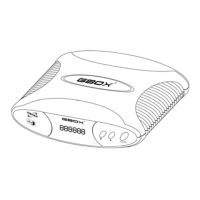
SatHawk GBOX
V3000
* DiSEqC 1.2 Positioner & Standalone Positioner
* Compatible with all DiSEqC 1.2 Receivers
* 6 Digits Display
* 60 Pre-stored Satellite Names
* 99 Programmable Memories
* 23 Keys full Function IR Remote Control
* Fine-tune Function for Better Reception
* Short Circuit and Overload Protection
* Anti-Noise Circuit to avoid miscounting
* Software Limits Protection
* Re-synchronize Function
* 180° H-H Mount Compatible
U
U
S
S
E
E
R
R
M
M
A
A
N
N
U
U
A
A
L
L

Questions and Answers

PowerTech SatHawk GBOX V3000 Specifications

General IconGeneral
Frequency Range950-2150 MHz
PolarizationLinear
Input Voltage12V DC
Current Consumption150mA
LNB Power Supply13/18V
DiSEqC Support1.0, 1.1, 1.2
Output InterfaceF-connector

Summary

Safety Precautions and Kit Contents

Safety Warnings

Critical warnings to prevent electric shock, fire, and damage from moisture or ventilation obstruction.

Kit Contents

Lists all items included in the GBOX package for initial setup.

GBOX Introduction and Modes

Standalone Positioner Mode

Explains GBOX operation with non-DiSEqC receivers using IR remote.

DiSEqC 1.2 Positioner Mode

Describes GBOX functionality with DiSEqC 1.2 compatible receivers via coaxial cable.

GBOX Front and Back Panel

Front Panel Overview

Identifies and describes the components on the front panel of the GBOX.

Back Panel Overview

Identifies and describes the ports and connectors on the back panel of the GBOX.

Remote Control Operation

Remote Control Buttons and Functions

Explains the purpose of each button (POWER, numeric, ESC, OK, Store, etc.) on the remote.

Cable Connection and Setup

Setting Up the Positioner

Step-by-step guide for connecting the actuator, receiver, and LNB cables.

Connection Diagram

Visual illustration of the DiSEqC 1.2 positioner cable connections.

Standalone Positioner Operations

Setting Software High;Low Limits

How to set software limits to protect the actuator and H-H mount from damage.

Clearing Software High;Low Limits

Procedure to reset or clear previously set software travel limits.

Storing and Naming Satellite Positions

Storing Satellite Locations

Step-by-step guide to save the current actuator position as a satellite memory.

Naming Satellite Positions

How to assign pre-stored or custom names to saved satellite positions.

Custom Satellite Naming Details

Inputting Custom Satellite Names

Instructions for entering up to 6 letters to name satellite positions.

Name Button Functions

Describes how the 'Name' button cycles through name, number, and position count display.

Position Recall and Resynchronization

Recalling Saved Satellite Positions

How to move the dish to a previously stored satellite position.

Re-synchronizing Satellite Positions

Process to correct and fine-tune all stored satellite positions simultaneously.

System Reset and DiSEqC Limits

Resetting the Positioner System

Procedure to clear all stored data, including limits and positions.

DiSEqC 1.2 Limit Settings

How to set and cancel software limits when operating in DiSEqC 1.2 mode.

DiSEqC 1.2 Operations

Storing and Recalling Positions (DiSEqC)

How to store and recall satellite positions via DiSEqC 1.2 receiver.

Re-synchronizing Positions (DiSEqC)

Using the re-sync function with a DiSEqC 1.2 receiver.

Operating from Front Panel Buttons

Using the physical buttons on the GBOX for basic operations like storing positions.

Troubleshooting and Specifications

Troubleshooting Common Issues

Solutions for common problems like incorrect positions or unresponsive LEDs.

Technical Specifications

Detailed electrical, environmental, and physical specifications of the GBOX positioner.