13
Powerware
®
9120 User's Guide 05147426 A Uncontrolled Copy
C H A P T E R 3
OPERATION
This section describes:
The UPS front panel
Turning the UPS on and off
Starting the UPS on battery
Standby mode
Diagnostic tests
UPS Front Panel
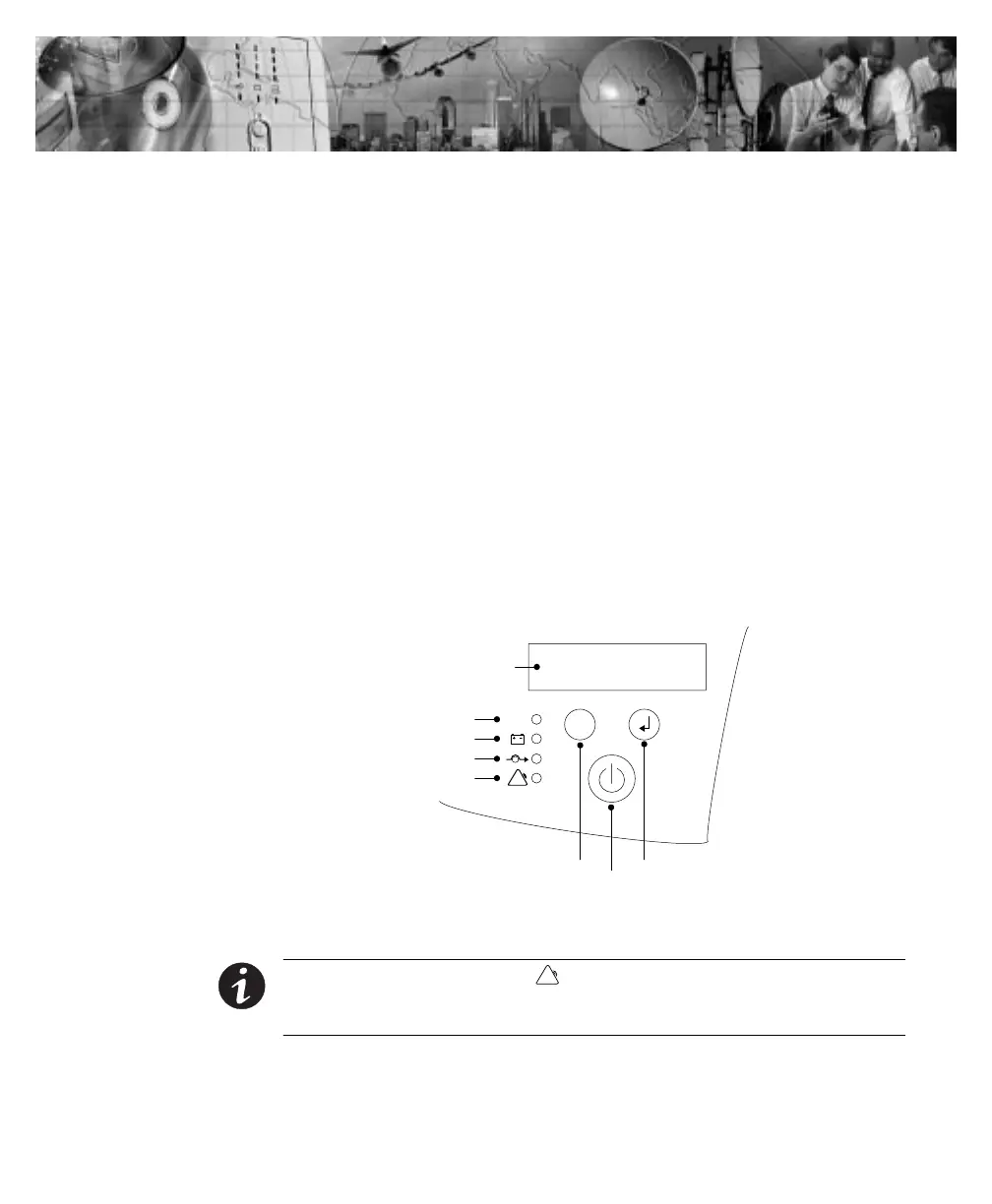
The UPS front panel indicates the UPS status and also identifies
potential power problems. Figure 4 shows the UPS front panel
indicators and controls.
On/Off Button
Scroll Button Enter Button
LCD Panel
Power On Indicator (Green)
Bypass Indicator (Yellow)
Alarm Indicator (Red)
On Battery Indicator (Yellow)
Figure 4. UPS Front Panel
NOTE If the alarm beeps or if the indicator is on, see Table 10 on page 37 to
identify and correct the problem. To configure parameters through the front panel, see
Configuration Mode" on page 17.












 To Next Page