UPS Maintenance
31
Powerware
®
9120 User's Guide 05147426 A Uncontrolled Copy
How to Replace Internal Batteries
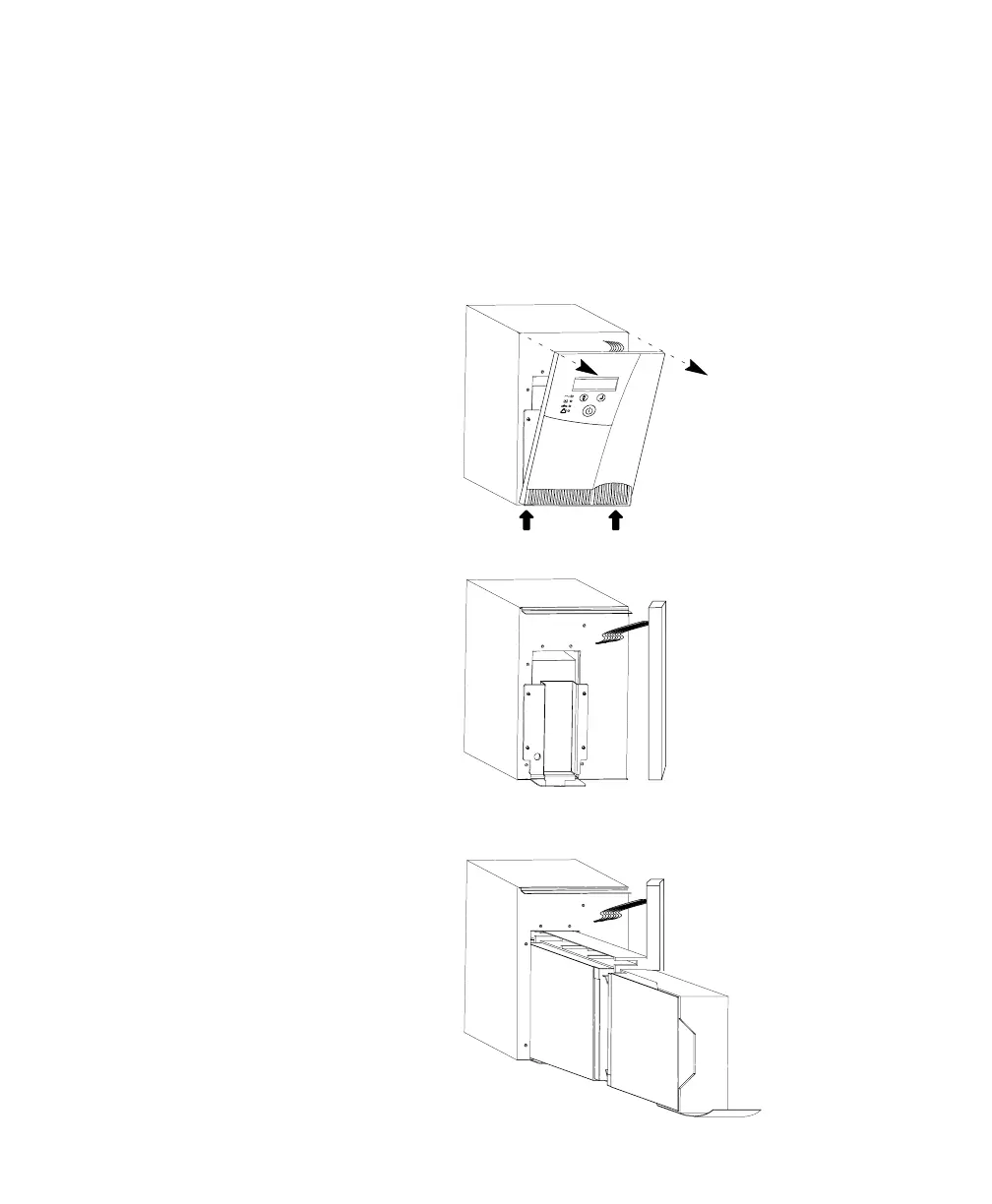
Use the following steps to replace the internal batteries:
1. Using caution not to put stress on the LCD display cable, pull
the top of the front panel forward. Release the spring latches at
the bottom of the front panel and remove it, placing it to the
side of the UPS.
2. Unscrew the metal battery cover (1000 VA model shown).
3. Pull the battery out onto a flat, stable surface (1000 VA model
shown).












 To Next Page