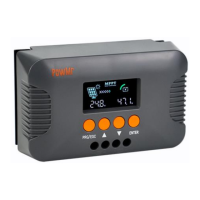
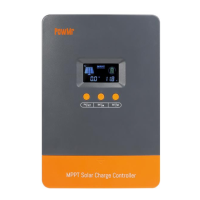
SOLAR60,SOLAR80 Solar Charging and
discharging Controller
User s Manual
1:Product introduction
Solar LCD series a kind of intelligent, multi-purpose solar charge and discharge controller
Battery reverse discharge protection
Battery reverse polarity protection
Battery under voltage protection
Overload, short-circuit protection
A key to open and close the load
Automatic temperature compensation function
A key to restore the factory settings
Optional USB 5V charging (for 500mA)
2: Installation Instructions
Installation
1
Ready Qi installation tools and materials, and cable.
Please matching suitable cable
2
Ensure that the current density <4A/mm2 this will help to
reduce the line pressure drop.
Recommended: 30A current 10mm2 60A current
20mm2 80A current 25 mm2 cable. Check whether the
Comply with the relevant safety requirements, avoid
damp, dusty, there is easy
Inflammable, explosive and corrosive gases place to
install using the controller
3
Install the controller fixed to the vertical plane, see Section V mounting aperture and hole spacing.
In order to ensure a good controller cooling conditions, the controller on the bottom of each
reserved 10cm space
4
As shown on the right wiring sequence: load, battery, solarQ
Battery plate is connected to the controller to be taken to ensure that the load, battery,
The polarity of the solar cell panel and controller
5
Before use: external temperature sensor probe into the left of the controller temperature probe
interface probe placed in similar battery temperature. (Line extension must be built-in devices of
the external temperature probe coextensive Otherwise, the controller will control parameters of the
temperature compensation of the error
6
Warning: In order to prevent accidents from occurring, install: non-professionals can not be
engaged in loading and unloading operations
3.LCD operating interface description
1:LCD graphic symbol description

 Need help?
 General

 To Next Page