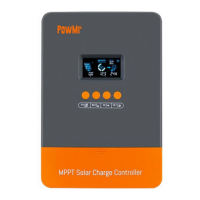
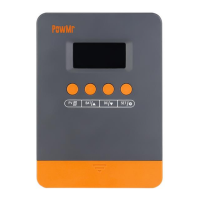
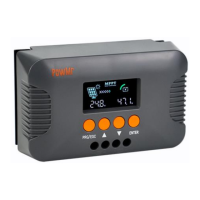
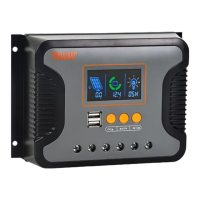
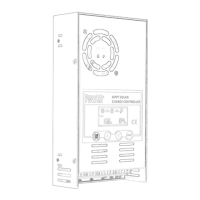
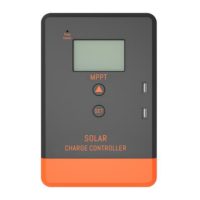
The PowMr POW-M80-PRO and POW-M100-PRO are advanced MPPT solar charge controllers designed for efficient energy management in solar systems. These controllers are engineered with cutting-edge CNC technology, an LCD screen, and user-friendly buttons, offering real-time monitoring of operational data and system status. They support Maximum Power Point Tracking (MPPT) battery charging mode to maximize energy utilization efficiency.
Function Description:
The primary function of these solar charge controllers is to automatically manage the charging and discharging processes of batteries in a solar system. This optimization extends battery life and enhances overall system performance. They are equipped with self-diagnostic and electronic protection functions to prevent damage from installation errors or system failures, ensuring reliability and stability. The controllers offer expanded customization options for quick and smooth solar system configuration. They are suitable for both standalone systems and larger solar energy projects, with a parallel operation feature that allows for easy expansion of solar panel configurations and energy storage capacity, supporting up to 12 units in parallel.
Important Technical Specifications:
The PowMr POW-M80-PRO and POW-M100-PRO models come with distinct specifications:
- Max. Solar Array Open-Circuit Voltage: 160V for both models.
- Maximum Input Power:
- POW-M80-PRO (80A): 960W (12V System), 1920W (24V System), 2880W (36V System), 3840W (48V System).
- POW-M100-PRO (100A): 1200W (12V System), 2400W (24V System), 3600W (36V System), 4800W (48V System).
Battery Charging Specification:
- Charging Technology: MPPT.
- Charging Algorithm: 3 Stages.
- Nominal System Voltage: Compatible with 12V/24V/36V/48V systems.
- Battery Voltage Range: 9~60V.
- Rated Charging Current: 80A for POW-M80-PRO, 100A for POW-M100-PRO.
- Maximum Efficiency: ≤98%.
- MPPT Efficiency: >99%.
- Temperature Compensation: -3mV/°C/2V (default).
- Self-Consumption: 44mA/12V; 26mA/24V; 18mA/36V; 12mA/48V.
Environment Specification:
- Operating Temperature Range: -35°C~+45°C.
- Humidity Range: ≤95%, Non-condensing.
- Altitude: <3000m.
General Specification:
- Protection Level: IP32.
- Dimensions: 260x180x75mm (POW-M80-PRO), 315x195x80mm (POW-M100-PRO).
- Net Weight: 2kg (POW-M80-PRO), 2.7kg (POW-M100-PRO).
Usage Features:
- Integrated Charging Presets: Includes adaptive charging logic suitable for most battery types (flooded lead-acid, gel-sealed lead-acid, lithium batteries). Specific charging parameters are available for each battery type.
- Versatile Application: Compatible with 12V/24V/36V/48V system voltages.
- Multi-Stage Charging Algorithm: Optimizes each charging cycle and maintains battery capacity by applying preset charging parameters in specific stages after full charge.
- Maximum Power Point Tracking (MPPT) Technology: Tracks the maximum power point voltage (Vmp) of the array, ensuring maximum power collection throughout the day, with a tracking efficiency of up to 99.9% and a peak conversion efficiency of up to 97%.
- Adaptive Boost Charging: Monitors battery response during the initial charging phase to automatically determine the boost stage duration, ensuring full charge without overcharging, thus extending battery life.
- Supports Up to 12 Units in Parallel: Allows for easy expansion of solar panel configurations and energy storage capacity.
- External Temperature Probe Configuration: Enhances precision in battery temperature monitoring for accurate temperature compensation and optimal system performance.
- Forced Air Cooling: Features a built-in cooling fan for forced heat dissipation, improving overall device operational efficiency.
- Lithium Battery Activation: Compatible with lithium batteries, adjusting the charging cycle for their specific needs. It can activate protected lithium batteries using solar panel energy, ensuring current does not exceed protection voltage and current range.
- User Interface: Features an LCD display screen and function keys (PV/SET, BAT/▲, BAT/▼) for browsing photovoltaic input parameters, battery parameters, confirming settings, and adjusting values. A long press on BAT/▼ restores factory settings.
- Operating Modes: Displays various operating modes such as Night Mode (not charging), Fast Charging Mode (MPPT Mode), Boost Charging Mode, and Float Charging Mode. Fault codes are displayed in case of issues.
- Battery Parameter Settings: Allows calibration of battery voltage, setting parallel communication codes (for multi-controller setups), and selecting battery type from a predefined list (Sealed Lead-Acid, Gel Sealed Lead-Acid, Flooded Lead-Acid, various LiFePO4 and Lithium-Ion series) or a user-defined mode. In user-defined mode, boost charging voltage, float charging voltage, and MPP tracking return voltage can be manually set.
Maintenance Features:
The manual recommends conducting checks and maintenance at least twice a year for optimal performance:
- Secure Mounting: Ensure the controller is securely mounted in a clean and dry environment.
- Airflow and Cleanliness: Ensure proper airflow around the controller and clean any dust or debris from the heat sinks.
- Wire Inspection: Inspect all exposed wires for insulation damage (sun exposure, friction wear, dryness, insect/rodent damage) and repair or replace as necessary.
- Terminal Tightness: Tighten all terminals and check for loose, broken, or burnt cable connections.
- Grounding: Confirm that all system components are properly grounded.
- Corrosion and Discoloration: Ensure all terminals are free from corrosion, insulation damage, high temperatures, or signs of burning/discoloration, and tighten terminal screws.
- Pest and Dirt Check: Check for dirt, nesting insects, and corrosion, and clean promptly if present.
- Safety Precaution: Always ensure all power sources are turned off before performing any maintenance operations to avoid electric shock.
Protection Features:
The controller includes several protection functions:
- Photovoltaic Array Short Circuit: Charging ceases upon a short circuit in the PV array; normal operation resumes once the fault is resolved.
- Photovoltaic Input Overcurrent: The controller limits battery charging current to its maximum rated value, preventing an overcurrent PV array from operating at peak power.
- Photovoltaic Polarity Reversal: The controller will not operate if PV wiring is reversed; correcting the connection restores functionality.
- Battery Polarity Reversal: The controller will not operate if battery wiring is reversed; correcting the connection restores normal operation.
- Overtemperature Protection: The controller reduces charging current if the heatsink temperature exceeds 59.5°C and shuts down automatically if it exceeds 80°C.
- Troubleshooting: The device displays fault codes (e.g., 18 for low input PV voltage, 60 for overtemperature, 63 for high battery voltage, 65 for low battery voltage, 71 for high input PV voltage, 73 for overcharging current) to assist in diagnosing and resolving issues.


 To Next Page
 General