3. Operation
UP! mini 3D Printer User Manual 15
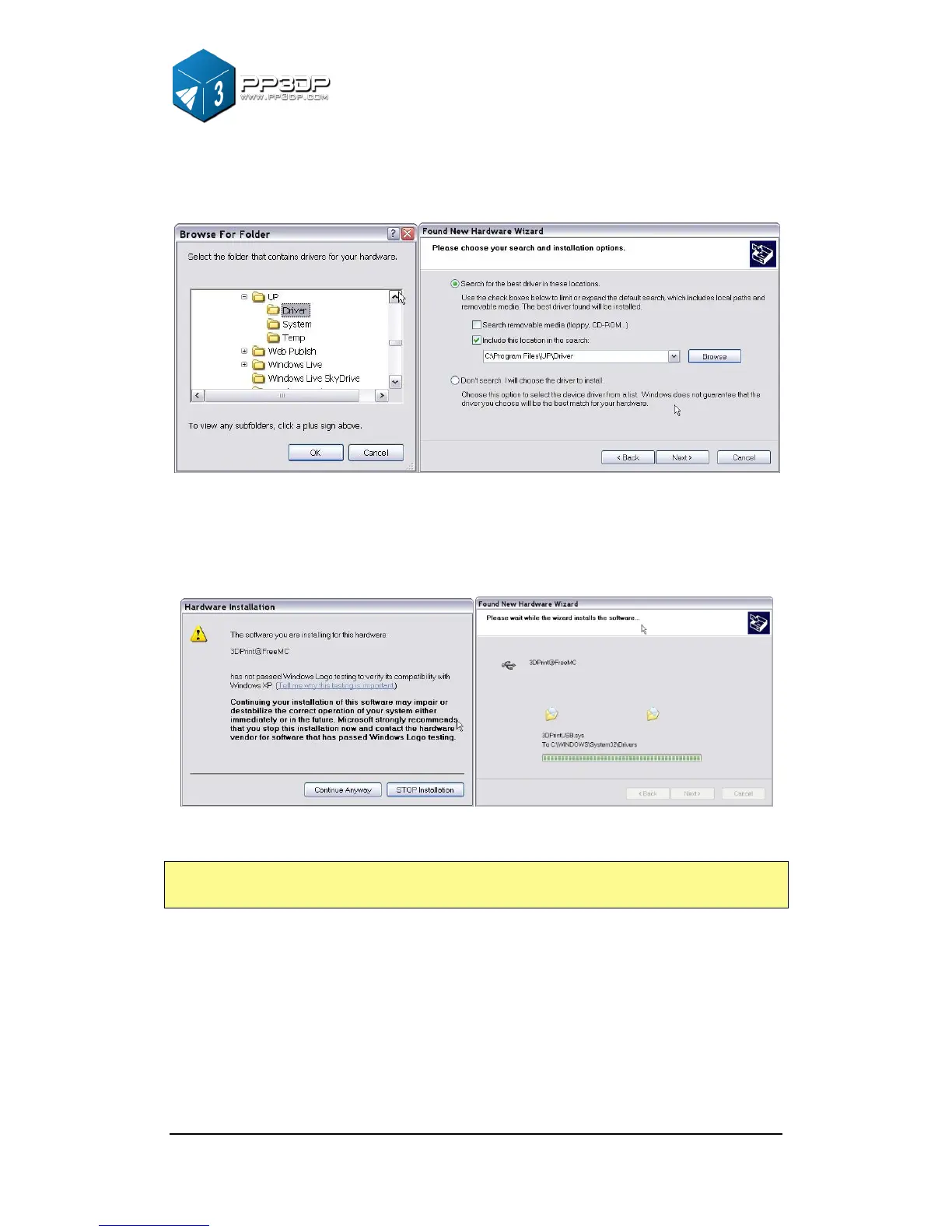
Click “Browse”, and choose C:\Program Files\UP\Driver, then “Next”.
Figure 3-8 Snap shots of UP! Software installation
The following dialogue box pops up. Choose “Continue Anyway”, and the
drivers will install automatically.
Figure 3-9 Snap shots of UP! Software installation
If you have any problems installing the driver, or get a "Winusb.dll not found" error,
please refer to the driver section in the troubleshooting section of this manual.


 To Next Page