3. Operation
UP! mini 3D Printer User Manual 26
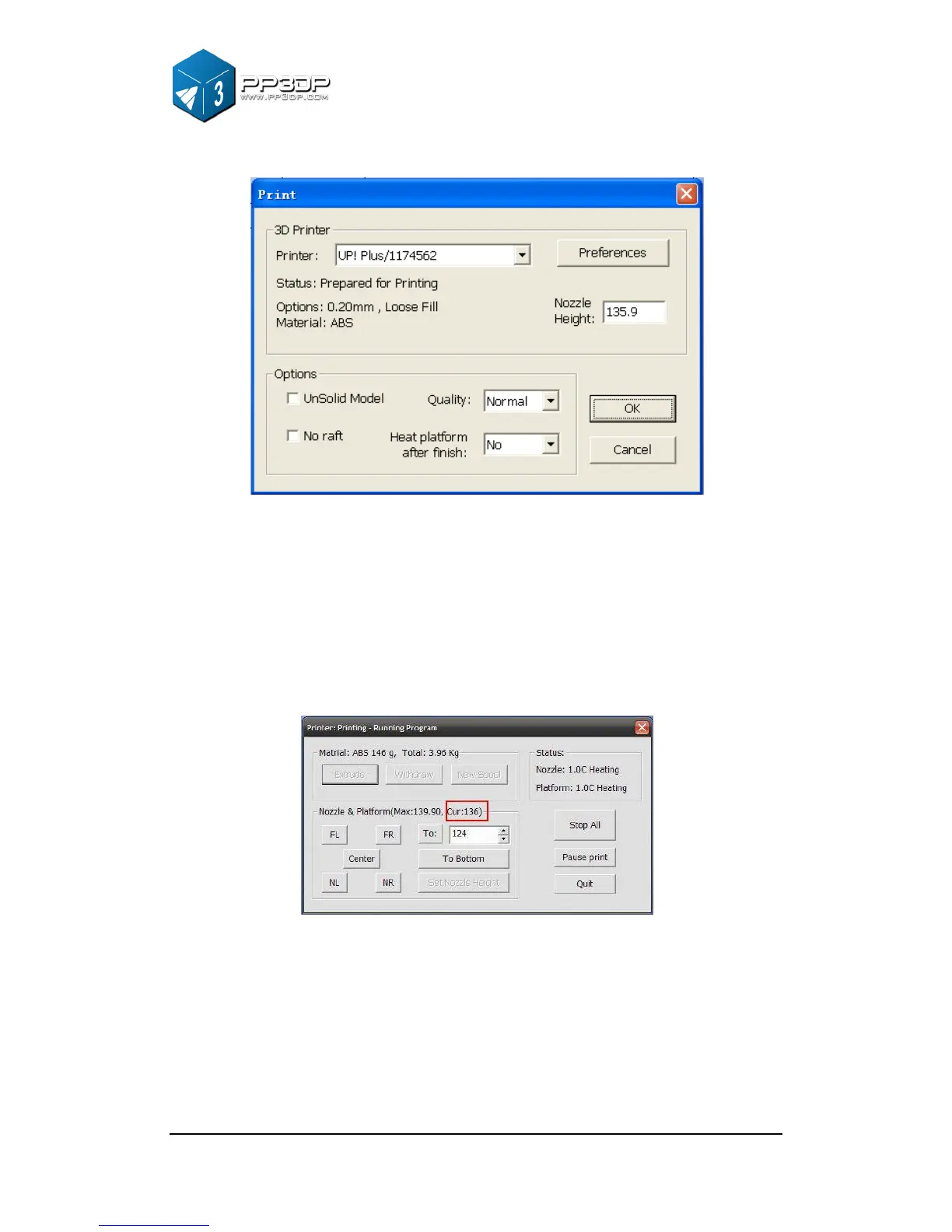
Figure 3-20 "Print" Dialog
The snapshot of "Print" Dialog in Figure 3-20 shows that the distance of the
from platform to nozzle is 135.9mm, after the printer is initialized, and before
the printing starts.
To figure out the correct nozzle height, please follow the following steps:
1 - Open the “Maintain” dialogue box from the “3D Print” menu. The current
nozzle height is indicated as shown in the picture below.
(Windows version)


 To Next Page