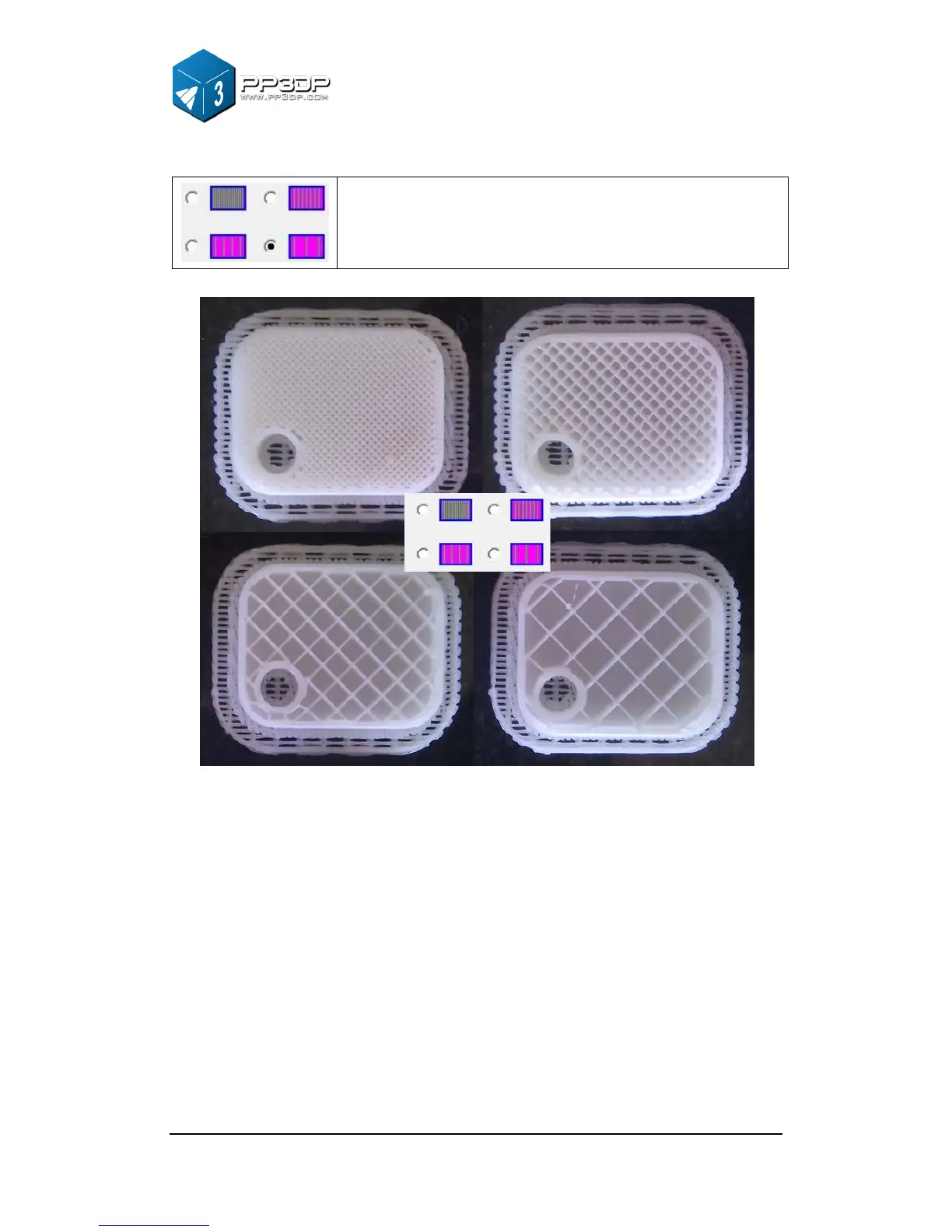
The part has an outer wall thickness of solid plastic
(about 1.5mm), but its interior is filled with a largely
spaced support structure. In previous version, this was
referred as “Big hole”
Figure 3-27 Support structure generated by different infill options
Shell Mode:
This mode prints model with no infill structure, which helps improve efficiency
by printing hollow model. If you simply want to print model for review, you can
choose this mode.
Surface Mode:
In this mode, only the contour of the model will be printed, and the top and
bottom of the part are not closed. This mode can improve the surface quality of
the model



 To Next Page