8. Troubleshooting
UP! mini 3D Printer User Manual 54
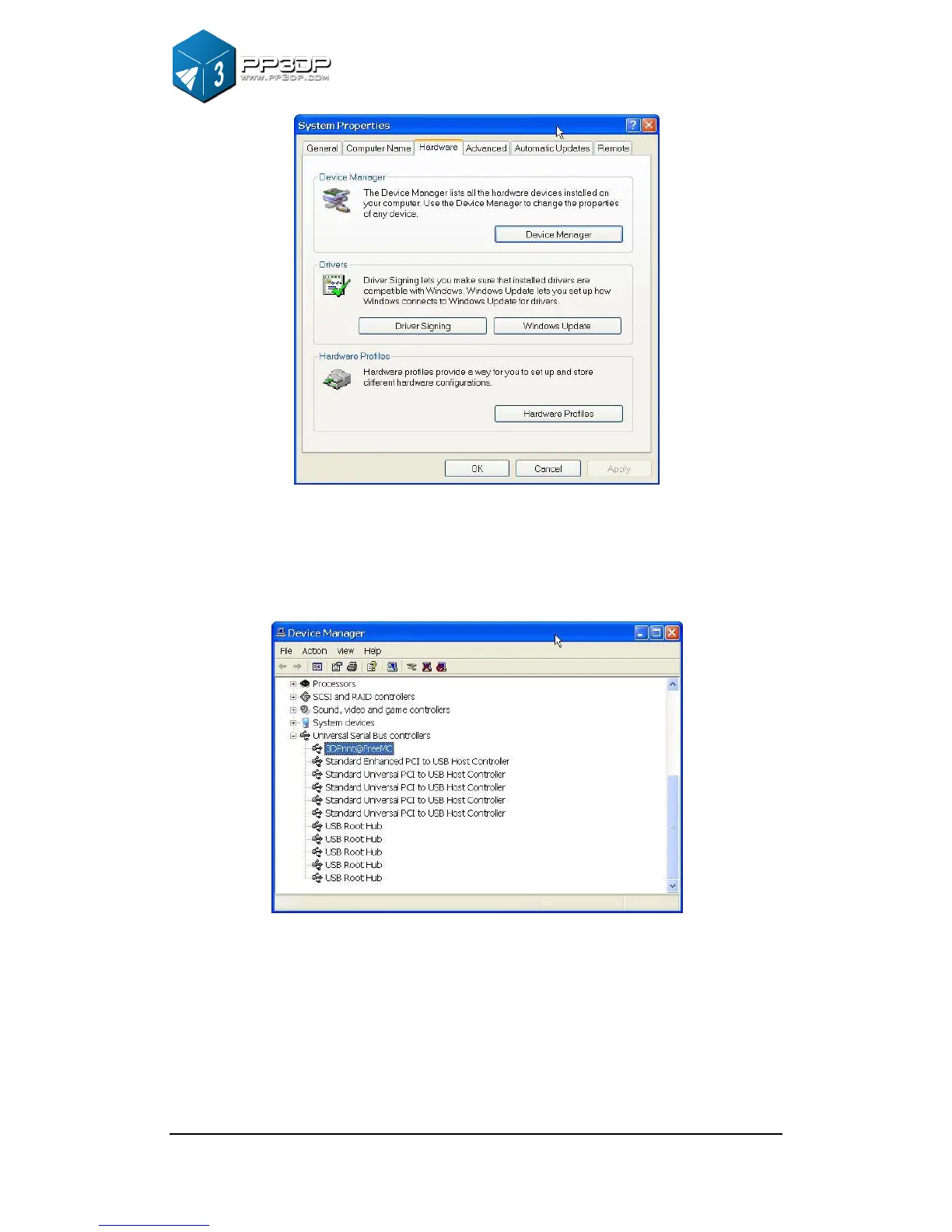
Figure 8-1 System Properties Dialog
2. Click “Device Manager” button, and Device Manager Dialog pops up. Find
the entry “3DPrinter@FreeMC” in the USB section.
Figure 8-2 Device Manager Dialog
3. Click the right mouse button and select the “Uninstall” option. The
confirmation dialog box will appear. Click “OK”.


 To Next Page