8. Troubleshooting
UP! mini 3D Printer User Manual 56
Option 2: Update the driver manually.
1. Install the latest UP! software.
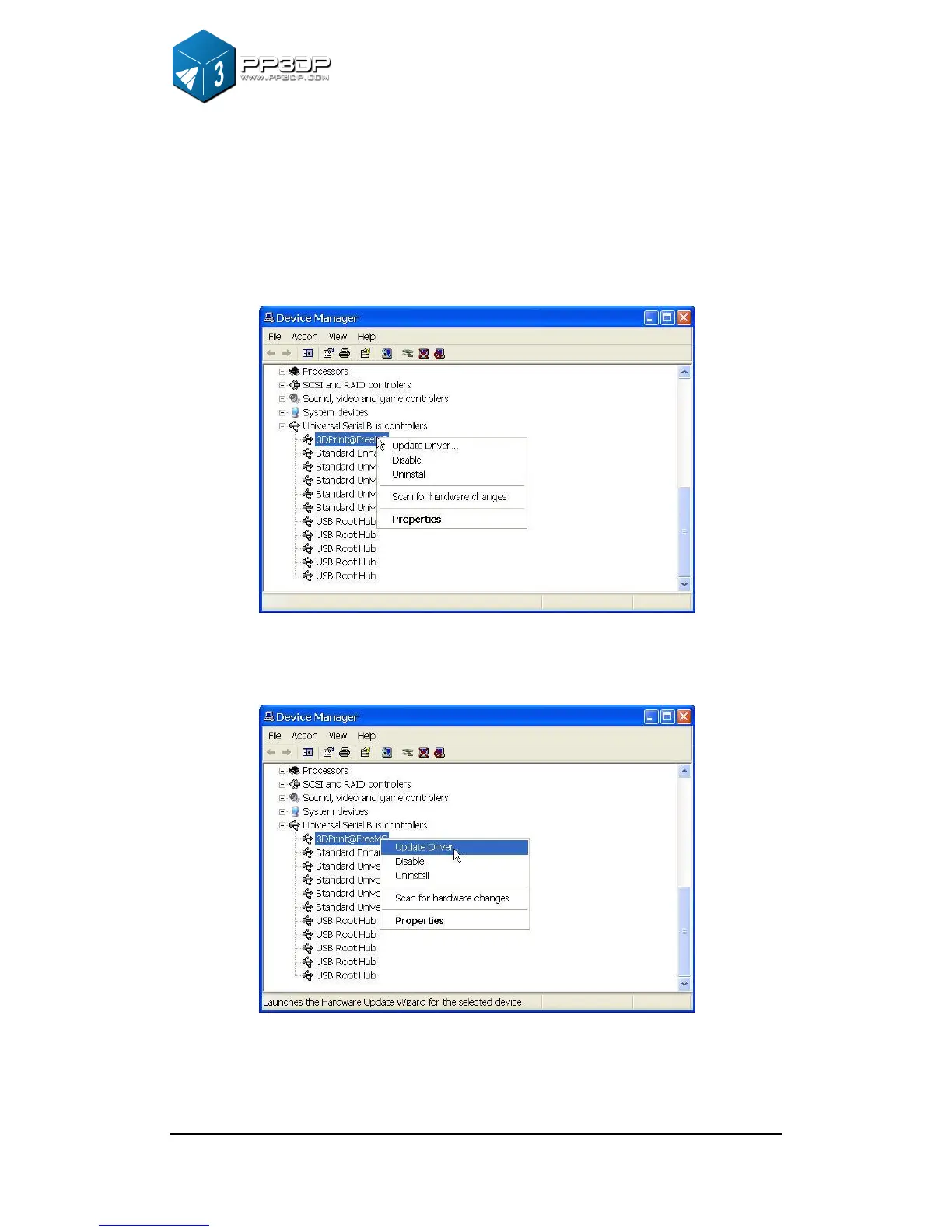
2. Find the “3DPrint@FreeMC” driver in the “Device Manager” dialog box (it
should be located in the USB section).
Figure 8-5 Device Manager Dialog
3. Select “Update Driver.” in the right click menu.
Figure 8-6 Update Driver


 To Next Page