5909V101 -IN 9
Installation of USB drivers for Windows
®
Vista
Install the USB drivers while the PReset CD is still in the drive, i.e. immediately
after the PReset installation.
1. Connect Loop Link 5909 to the USB port of the PC.
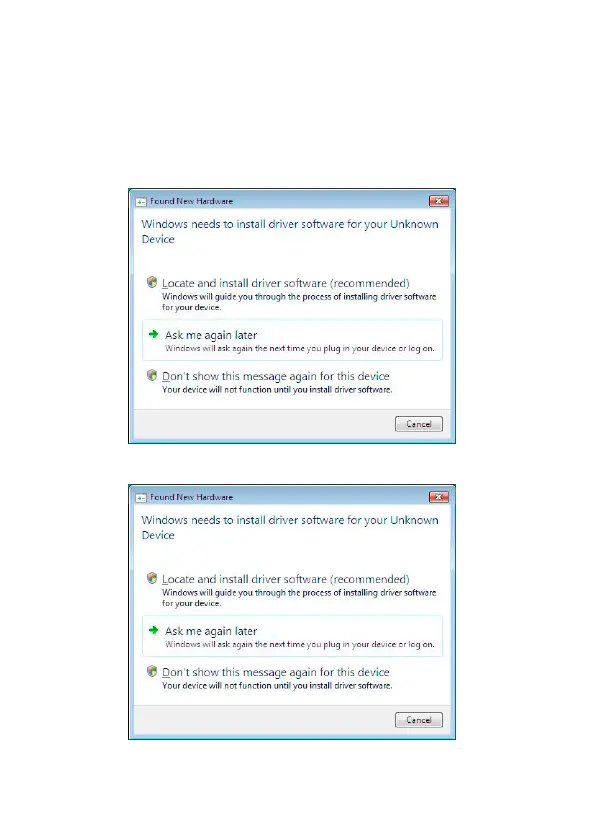
2. After a short while, the ”Found New Hardware Wizard” will be
shown. This guide will help you through the installation of the USB
driver.
3. Click [Cancel] in the following dialogue:
4. Click [Cancel] in the following dialogue:


 To Next Page