5909V101 -IN 7
1. Connect Loop Link 5909 to the USB port of the PC.
2. After a short while, the guide ”New hardware found” will be shown.
This guide will help you through the installation of the first USB
driver.
3. When pressing [Execute] the first USB driver will be installed.
4. The guide starts again and helps you through the installation of the
second USB driver.
5. When pressing [Execute] the USB driver installation will be
complete.
Special instructions for Windows
®
98SE and ME
1. When Windows
®
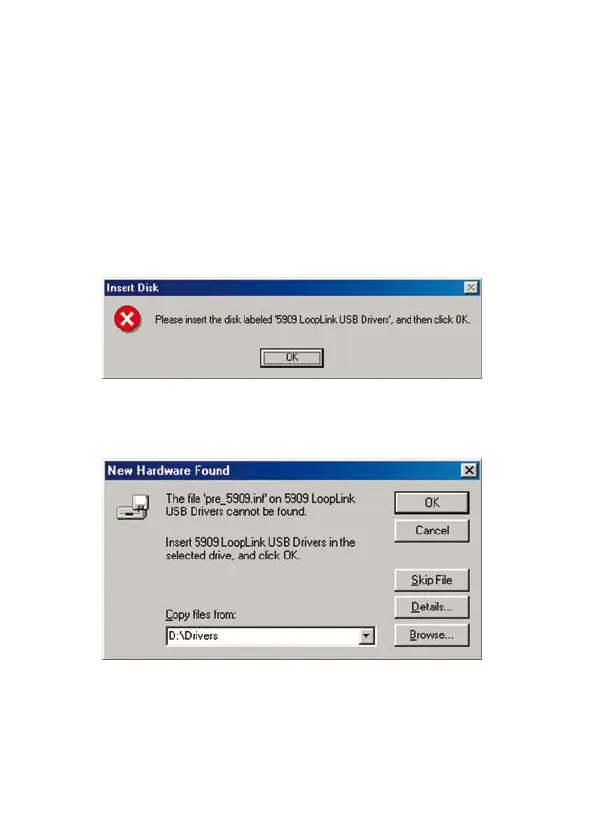
98SE and ME are searching for the drivers, the
following message will probably appear:
2. After clicking OK, you will see the following dialogue where the path
”CD-ROM drive:\drivers” must be specified. Either use [Browse] or
type the path.
3. The installation will then continue according to the guidelines
specified in ”Installation of USB drivers for Windows
®
98SE, ME and
XP”.


 To Next Page