11
TROUBLESHOOTING
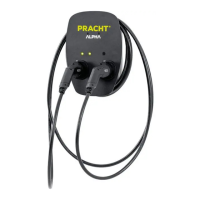
No function of the wallbox. (LEDs extinguished)
• Check the fuses in the house distribution.
• Check the RCD switch in the house distribution.
• Check the internal fuses.
• Check the internal RCD switch
Wallbox no longer responds.
• First disconnect all vehicles from the system. Then restart the
wallbox.
The wallbox signals a fault (red LED display).
• Disconnect the connection to the vehicle.
• Check the charging coupling and charging cable for possible
damage.
• In case of damage, disconnect the wallbox from the mains and
repair it.
• Check the contacts of the charging coupler for dirt. To do this,
disconnect the box from the mains.
• After repair or cleaning, the wallbox can be connected to the mains.
If the fault has been rectified, the box is ready for operation.
The vehicle suddenly charges with a lower
charging current or briefly interrupts the charging
process.
• The wallbox is equipped with thermal overload protection.
• From around 40°C outside temperature, the system gradually
reduces the maximum charging current.
• If the ambient temperature continues to rise, the wallbox may
switch off the charging process.
• As the outside temperature decreases, the wallbox automatically
continues the charging process.
The charging process was interrupted.
• Start the charging process again. To do so, disconnect the wallbox
from the vehicle for 10 seconds.
CONTACT ADDRESS
PRACHT Industry GmbH
Am Seerain 3, 35232 Dautphetal-Buchenau, Germany
Phone +49 6466 9140-900
info@prachtenergy.com, www.prachtenergy.com


 To Previous Page