INSTALLATION AND OPERATION MANUAL
07
OPERATION
Ÿ The «Cook More» funcon will be enable to use aer the end of preparaon,
with the door opened.
Ÿ Close the door and press:
More 10 seconds
More 20 seconds
More 30 seconds
Ÿ This opon will be avaliable for 10 seconds aer the door is closed.
CREATING AND EDITING GROUPS.
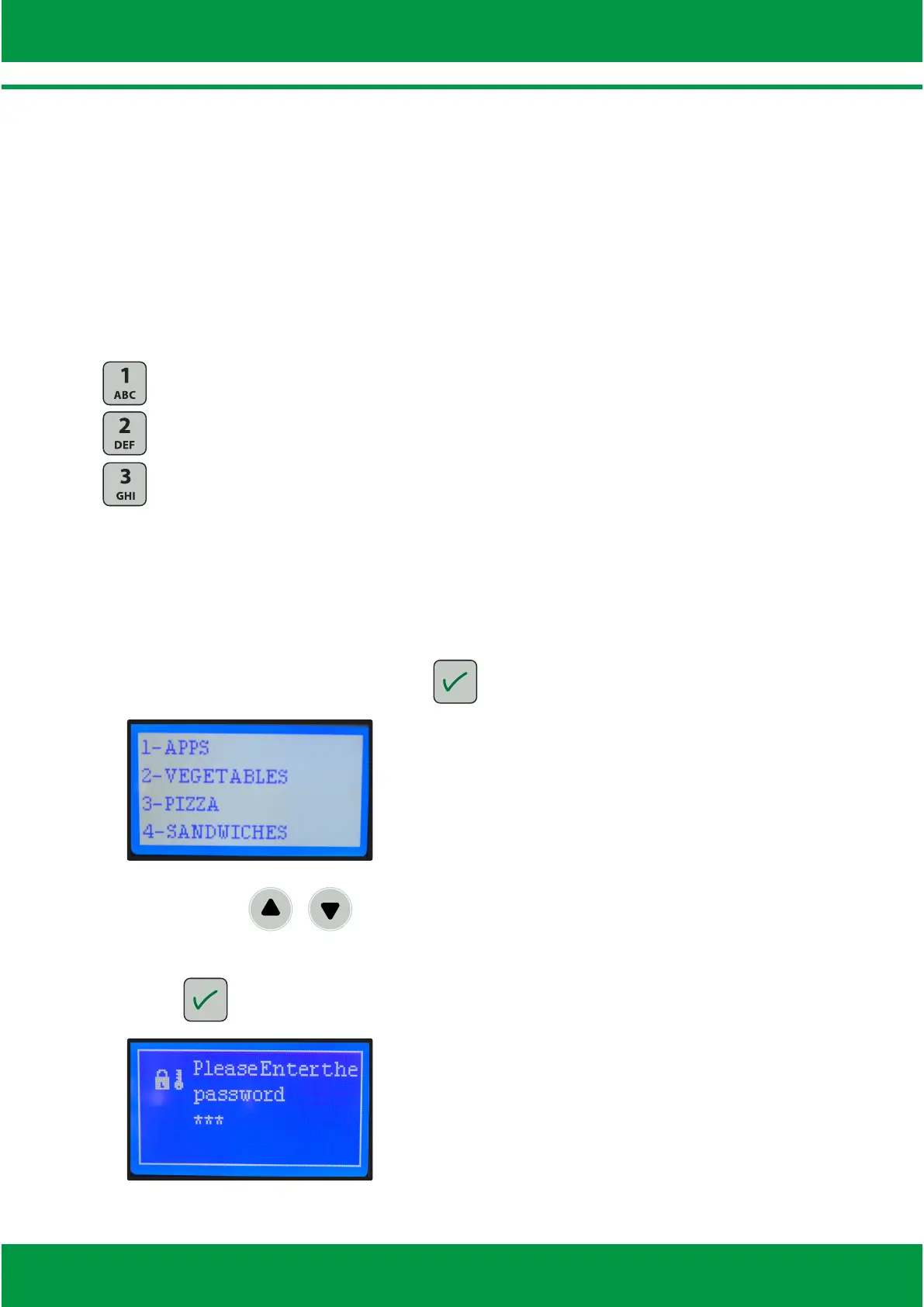
Ÿ While in the group’s menu, press to allow the edion funcon, as shown:
Ÿ With arrows / or alphanumeric panel, select which group edit.
Ÿ Enter the password (123 - standard) using the alphanumeric keyboard and
press to enter the edion mode



 To Next Page