Need help?
Do you have a question about the Precision Pro NX9 and is the answer not in the manual?
Displays the distance adjusted for slope.
Steps to turn on the rangefinder and adjust focus for clear viewing.
Instructions on aiming and activating the laser to measure target distance.
Explanation of how slope-adjusted and non-slope distances appear.
How to switch between Slope ON (M2) and Slope OFF (M1) modes.
Step-by-step guide for replacing the device's battery.
Advice to keep the laser lens unobstructed for accurate measurements.
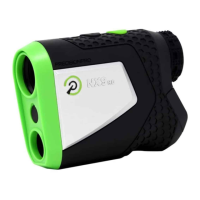
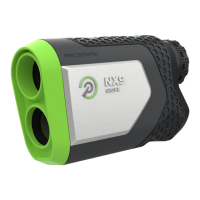
The Precision Pro NX9 Slope Golf Rangefinder is a sophisticated optical device designed to assist golfers in accurately determining distances on the course, incorporating advanced features for enhanced play. Its primary function is to measure distances to various targets, such as flags, trees, and bunkers, providing both the direct line-of-sight distance and a slope-adjusted distance for more precise shot planning.
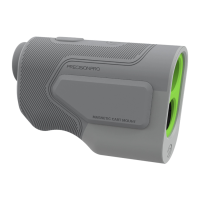
The device features a user-friendly design with clearly labeled components. On the exterior, you'll find a laser lens (1) and an optical lens (2) for measurement and viewing, respectively. Control is managed via a mode button (3), which allows toggling between slope and non-slope modes and switching between yards and meters, and a power & activate laser button (4) for turning the device on and initiating measurements. For comfortable viewing, an adjustable eyepiece (5) is provided, allowing users to focus the display to their individual vision. The battery compartment is accessed via a battery door (6).
When looking through the eyepiece, the internal display presents a wealth of information to the user. A target acquisition indicator (1) helps in aiming the device. The mode indicator (2) clearly shows whether the rangefinder is in M1 (Slope Off) or M2 (Slope On) mode. A battery indicator (3) keeps the user informed about the remaining power. The slope-adjusted distance (4) is displayed prominently when slope mode is active, offering a compensated distance for uphill or downhill shots. A yards/meters indicator (5) (Yd for Yards, M for Meters) confirms the unit of measurement, and the non-slope distance (6) provides the direct line-of-sight measurement, which is particularly useful for tournament play where slope features might be prohibited.
Operating the rangefinder is straightforward. To begin, the user looks through the eyepiece and presses the green power button to activate the device, at which point a crosshair will appear in the center of the screen. The focus can be adjusted by rotating the dial on the eyepiece until the display appears sharp and clear. Once focused, the user points the crosshair at the desired target (e.g., flag, tree, bunker) and then presses and releases the green power button to "shoot" the target. If the slope function is enabled (M2 mode), the slope-adjusted distance will be displayed above the crosshair, while the non-slope distance will appear below it. The device is designed for power efficiency, automatically turning off after 10 seconds of inactivity.
The rangefinder offers flexibility in units of measurement. To switch between yards and meters, the user presses and holds the black mode button for three seconds. The display will then show "Yd" for yards or "M" for meters in the bottom right-hand corner, confirming the selected unit.
The slope feature is a key advantage of the NX9 Slope. Users can toggle between slope (M2) and non-slope (M1) modes by simply pressing and releasing the black mode button. When slope is off, "M1" will be visible on the left side of the display; when slope is on, "M2" will appear. This allows golfers to adapt the device's functionality to different course conditions or tournament rules.
Maintaining the device involves simple battery replacement. To change the battery, the user slides the battery door panel away from the eyepiece. The old battery is then removed, and a new one is inserted, ensuring it matches the orientation shown inside the compartment. After inserting the new battery, the door is closed and secured tightly. It's recommended to check the viewfinder to confirm that the battery is fully charged and the device is operating correctly.
For optimal performance, several best practices are recommended. When measuring distances, it's crucial to press and then release the green power button; holding the button down will not yield correct measurements. To achieve the best results, especially when targeting smaller objects, users should pan the crosshair slowly over the target while measuring the distance. This technique helps the rangefinder acquire the target more accurately. It's also vital to ensure that the front of the rangefinder, specifically the laser lens, remains unobstructed during use. A finger or part of the palm covering the lens can interfere with the laser, leading to inaccurate measurements. To enhance stability and accuracy, particularly for longer distances, users are advised to use both hands to hold the rangefinder, bracing their arms against their chest.
A convenient feature of the NX9 Slope is its magnetic cart mount. This built-in magnet allows the rangefinder to adhere to any flat metal surface, such as a golf cart frame. When attaching the device, it's important to ensure that the Precision Pro logo is facing out and that the rangefinder is positioned parallel with the bar, not perpendicular, for a secure attachment.
In summary, the Precision Pro NX9 Slope Golf Rangefinder is a comprehensive tool for golfers seeking to improve their game through accurate distance measurement. Its intuitive controls, clear display, slope compensation, and practical design features make it a valuable companion on the golf course.
 General
| Type | Laser Rangefinder |
|---|---|
| Magnification | 6x |
| Accuracy | ±1 yard |
| Display | LCD |
| Water Resistance | Yes |
| Slope Technology | Yes |
| Objective Lens Diameter | 22mm |
| Battery Type | CR2 3V |
| Weight | 6.5 ounces |

 To Next Page