User’s Reference Manual: Workout Options 13
Workout Options
CAUTION: Before beginning any fitness program, see your
physician for a complete physical examination. Know your
physician-recommended heart rate target zone.
1. Turn the unit ON. The Precor banner scrolls across the display.
2. Hold on to a handrail while stepping onto the treadmill.
3. Face the display and then straddle the running belt by placing your
feet on the trim strips provided.
4. Attach the security clip to your clothing.
5. Grip a handrail with one hand.
6. Select one of the following options:
Important: If password protection is enabled, you will need to
enter a password to begin your workout. At the password prompt,
press the following keys in sequence:
INCLINE
▼
,SPEED
▼
,SPEED
▲
.
Above
Below
Weight Loss
Cardiovascular
SmartRate
PRECOR
C952i
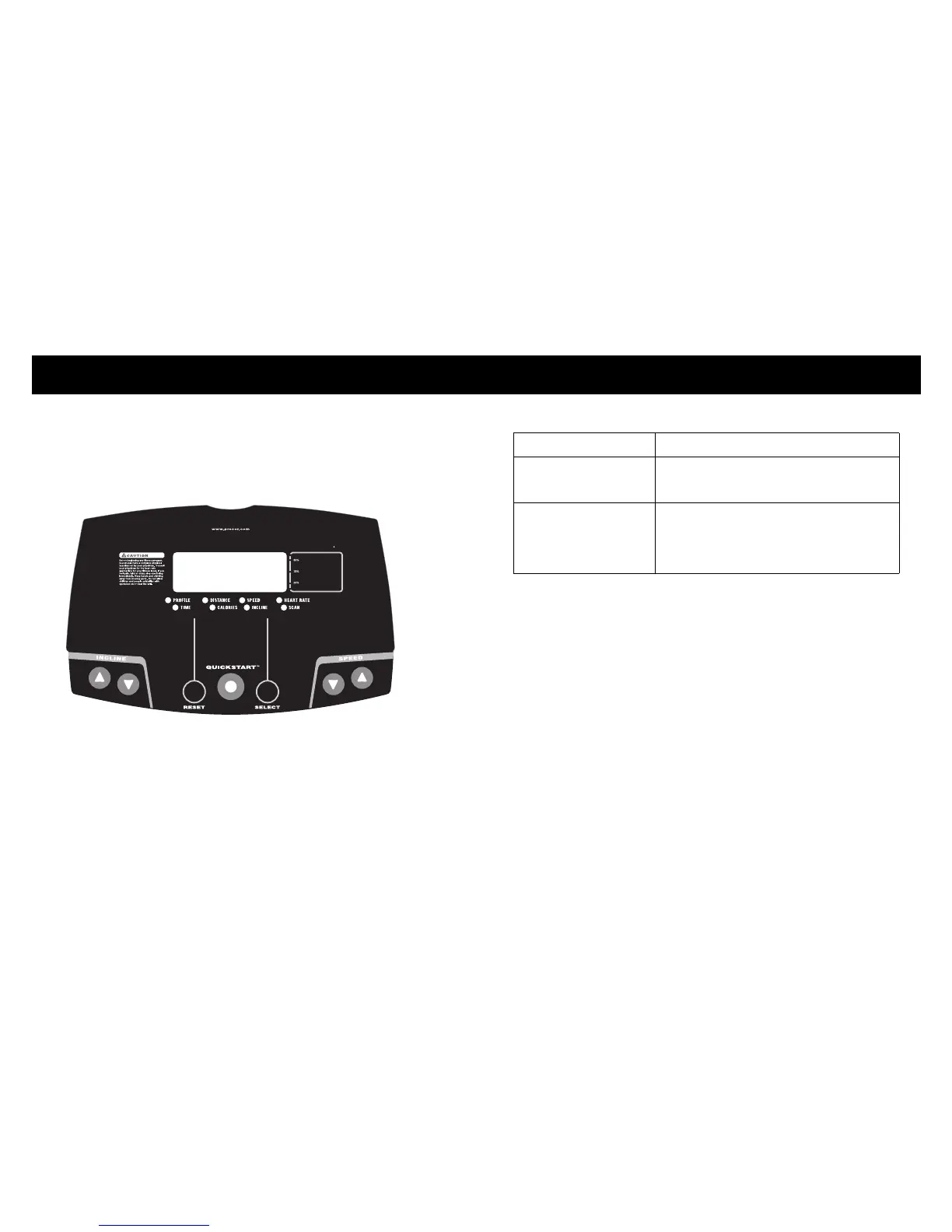
Option... Steps...
To start exercising
immediately
• Use the QUICKSTART key.
• Refer to Choosing QUICKSTART.
To select a program and
workout time, and
specify your weight and
age
• Use the SELECT key.
• Refer to Selecting a Program.



 To Next Page