User’s Reference Manual: Workout Options 14
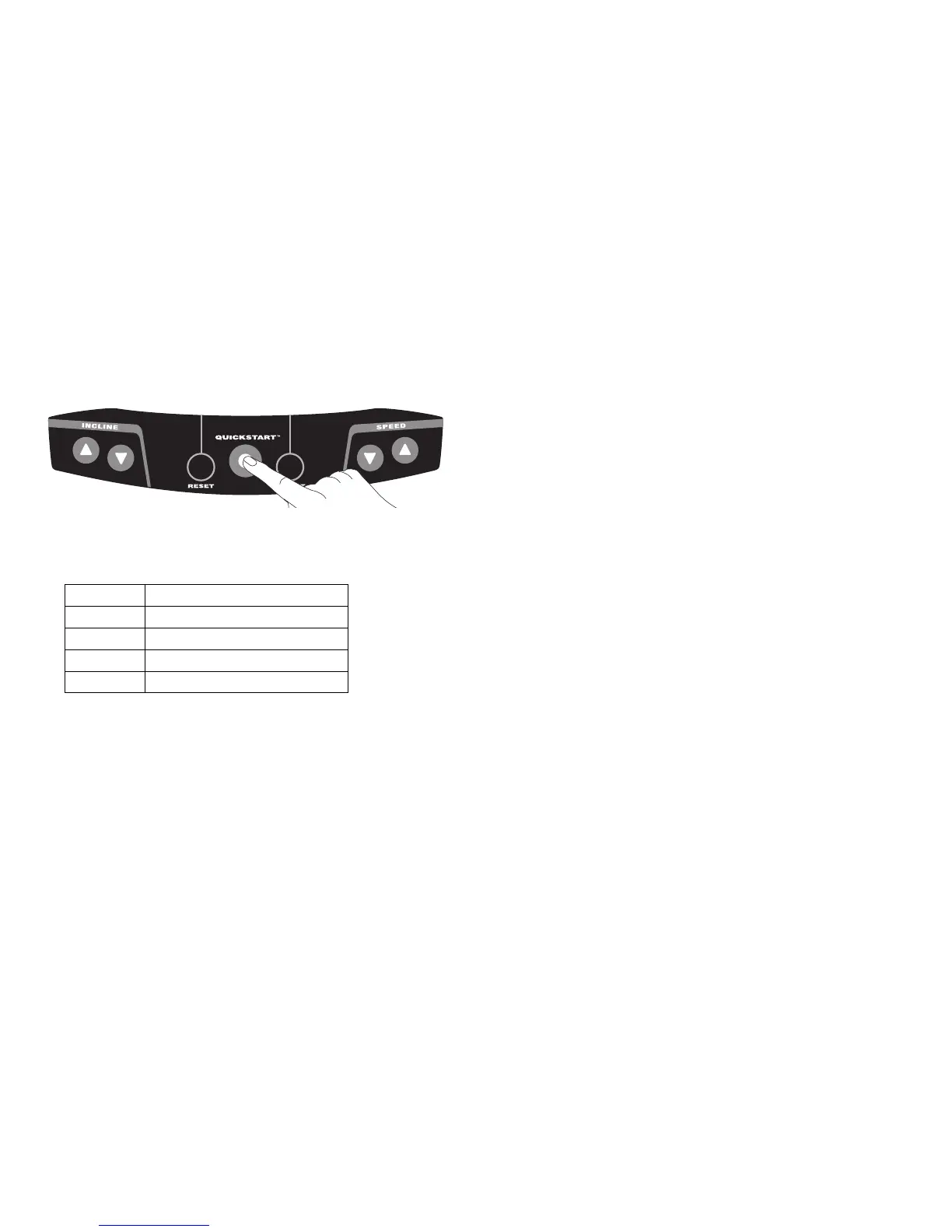
Choosing QUICKSTART
1. Press QUICKSTART while the banner is scrolling to bypass the
setup prompts and access the Manual Program.
QUICKSTART applies the following defaults:
To use the SmartRate feature, you need to specify your age. In this
case, press SELECT and follow the setup prompts to enter your
age. Press QUICKSTART after your age is displayed.
2. If needed, enter the password by pressing,
INCLINE ▼, SPEED ▼, SPEED ▲
An asterisk appears on the display with each entry.
3. A 3-second countdown appears on the display, and then the
running belt starts moving.
4. Step on to the running belt with the speed at or below
1 mph (1 kph) and begin your workout. Use the SPEED ▲ to
increase the speed of the running belt.
Prompts Default Value
Program Manual (MANL)
Time Club setting or 30 minutes
Weight 150 lb (68 kg)
Age 0



 To Next Page