Owner’s Manual: Display Console 23
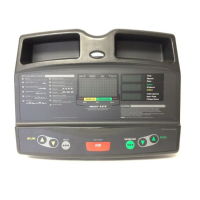
QUICKSTART: Press QUICKSTART to bypass the
setup prompts and start your workout immediately
using the Manual Program. Refer to Choosing
QUICKSTART.
STOP: A firm tap on the red STOP button slows the
running belt to a stop and the treadmill enters pause
mode. To resume, enter the password and press
SPEED ▲. Refer to Pausing During a Workout or the
Cool-Down Period.
SPEED: Press and hold the SPEED arrow keys to
increase or decrease the running belt speed, from
0 to 11 mph (1 to 18 kph), in 0.1 increments.
When you press the arrow keys, a target speed
appears in the display. The running belt speed changes
to meet the target, but the change occurs gradually so
the transition is smooth.
During your workout, to view your current speed, tap
either SPEED key. To change the speed, press the
arrow key for more than one second.
Note: During the setup phase, you can use the SPEED
keys to change data. Pressing either arrow key does
not affect the speed of the running belt at this time.
Refer to Selecting a Program.
M9.3xi_Owners Manual.book Page 23 Wednesday, December 14, 2005 1:10 PM


 To Next Page