EST100/EST200
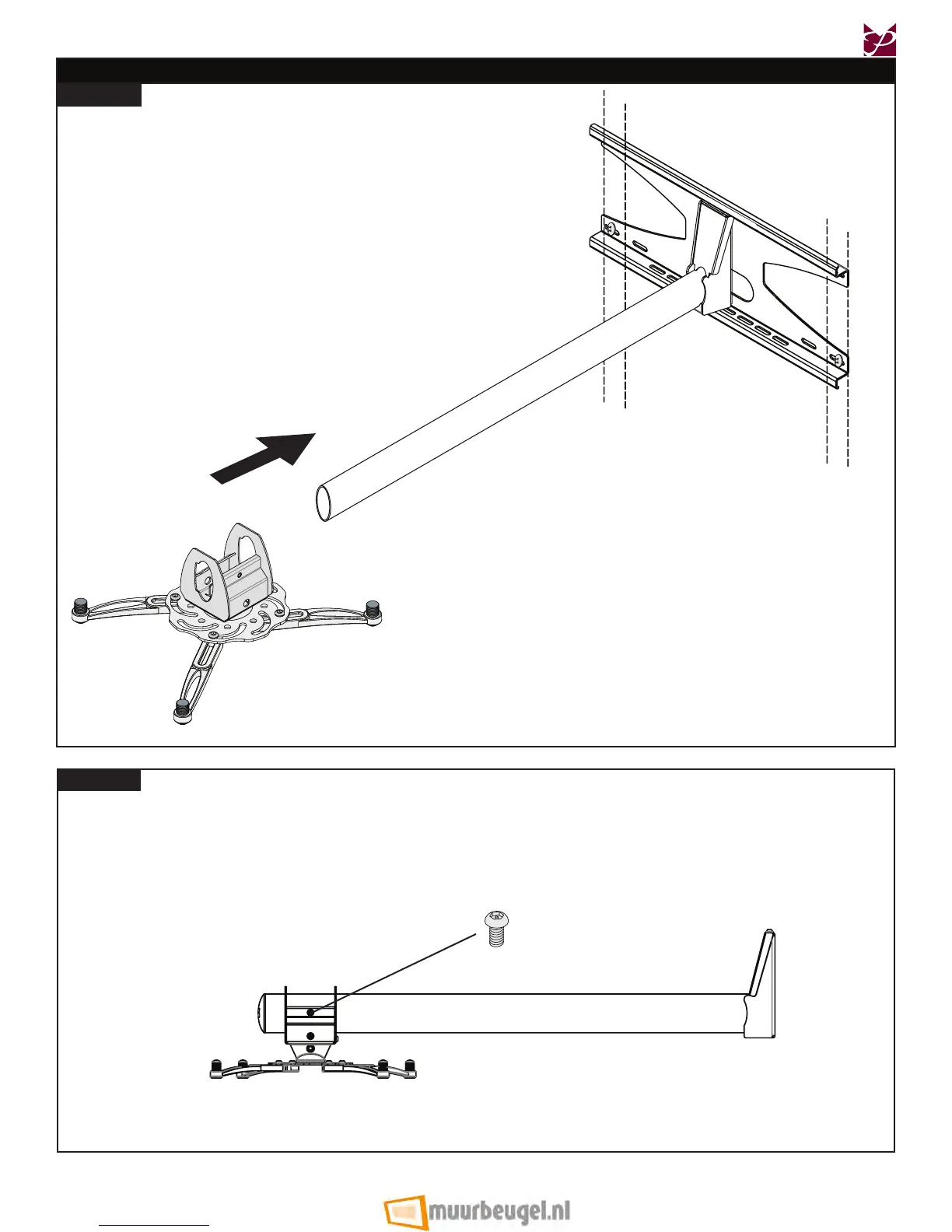
Attaching the Mount Carriage to the Projector Arm
Insert and slide the mount carriage along the projector
arm to the desired position.
Step 1
Projector not shown
Step 2
Once you have the desired position, use
one (1) M5 x 10mm security screw to tighten the mount
carriage in place.
M5 x 10mm
Security Screw
Proceed to the “Cable Routing (Optional)” section on
page 16.
Installation Instructions Visit the Premier Mounts website at http://www.mounts.com Page 15


 To Next Page