Ecoflo Owner’s Manual Page 7/14 20201009
Canada and United States Item # 339913
4. Ecoflo biofilter with pump
Some Ecoflo biofilter models have an integrated pumping station (other situations may require a separate pumping station), that directs
treated effluent to an appropriate disposal area. Electro-mechanical components are included in this system.
4.1 Visual and audio alarm system
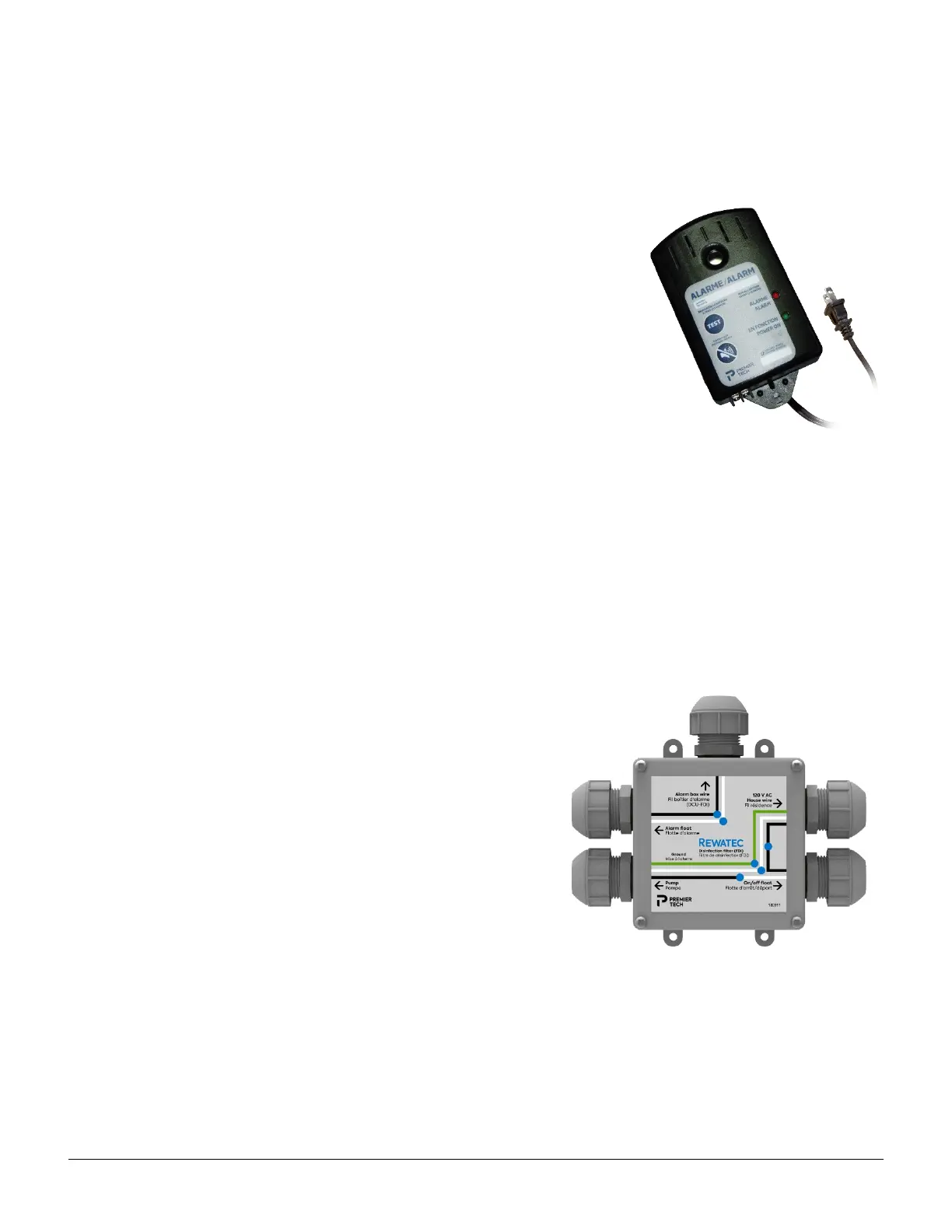
The pumping station is equipped with a high-water-level float connected to an alarm
system. This alarm system must be installed inside the residence so it can be heard when it
is activated.
A red indicator lights up and an audible alarm is heard when the water level in the Ecoflo
biofilter is unusually high. If an alarm is activated, contact Premier Tech's After-sales Service
team using the number written on the panel. We offer a 24/7 service. This incident has to
be checked. To silence the alarm, press the “
SILENCE” button.
The “TEST” button lets you check if the alarm system is working properly. During a test, the
red indicator should light up and an audio alarm should be heard.
In the event of a power failure, the alarm system continues to function on an emergency 9-
Volt alkaline battery (not supplied). Rechargeable batteries are not recommended.
NOTE : Replace the emergency battery every 12 months, each time the alarm is activated,
or whenever there is a power failure. If the battery is weak, the system will beep once every minute. When this occurs, replace the
battery immediately.
To replace the 9-Volt battery:
• Disconnect the alarm box and remove it from the wall (the battery must be inserted on the side of the box).
• Open the cover of the 9-Volt battery compartment and replace the battery with a 9-Volt alkaline battery.
• Close the cover, reinstall the box on the wall, and reconnect it.
• If the alarm is activated, press the “RESET/TEST” button to initialize it.
4.2 Electrical connections
All electrical connections must be done by a certified electrician and using seal
connectors is mandatory. Premier Tech recommends installing the power box on
top of the pumping station's insulating board to avoid humidity problems.
Use two separate circuit-breakers, one to operate the pump and the other to
connect the alarm box. Do not connect anything else to these circuit-breakers
(for example, a household appliance). They must be used exclusively for the
pump and the alarm box. In the case of commercial, community, institutional, or
municipal applications, refer to your Premier Tech project manager.
Alarm box


 To Next Page