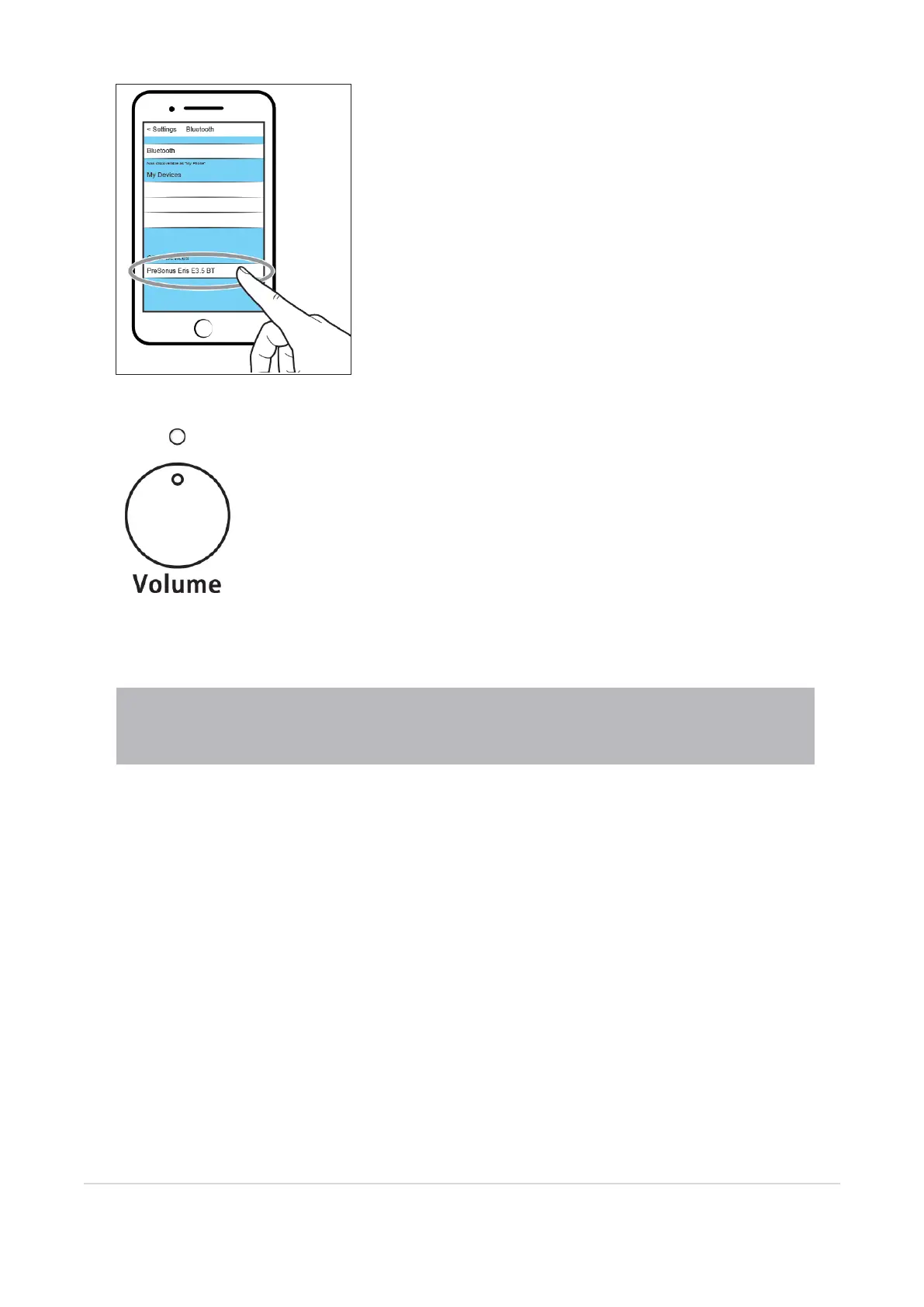
On your Bluetooth device, select "E5 BT”.
Once your Eris speakers are paired, the Power/Bluetooth LED will illuminate white.
Power User Tip: You can pair an additional device by repeating these steps. Your Eris speakers can store two
Bluetooth device pairings, although audio can only be streamed from one Bluetooth device at a time. Whenever
you power on your Eris speakers, your stored Bluetooth devices will automatically pair if within range.
3.3 Bluetooth Pairing 14



 To Next Page