EasyManua.ls Logo

PRESONUS StudioLive 16.0.2 - Page 9

PRESONUS StudioLive 16.0.2
291 pages
Print Icon
To Next Page IconTo Next Page
To Previous Page IconTo Previous Page
Loading...
5
StudioLive™ 16.0.2 Owner’s Manual
OverviewControls HookupResources Getting StartedDigital Effects
Master Control
Troubleshooting
and Warranty
Getting Started
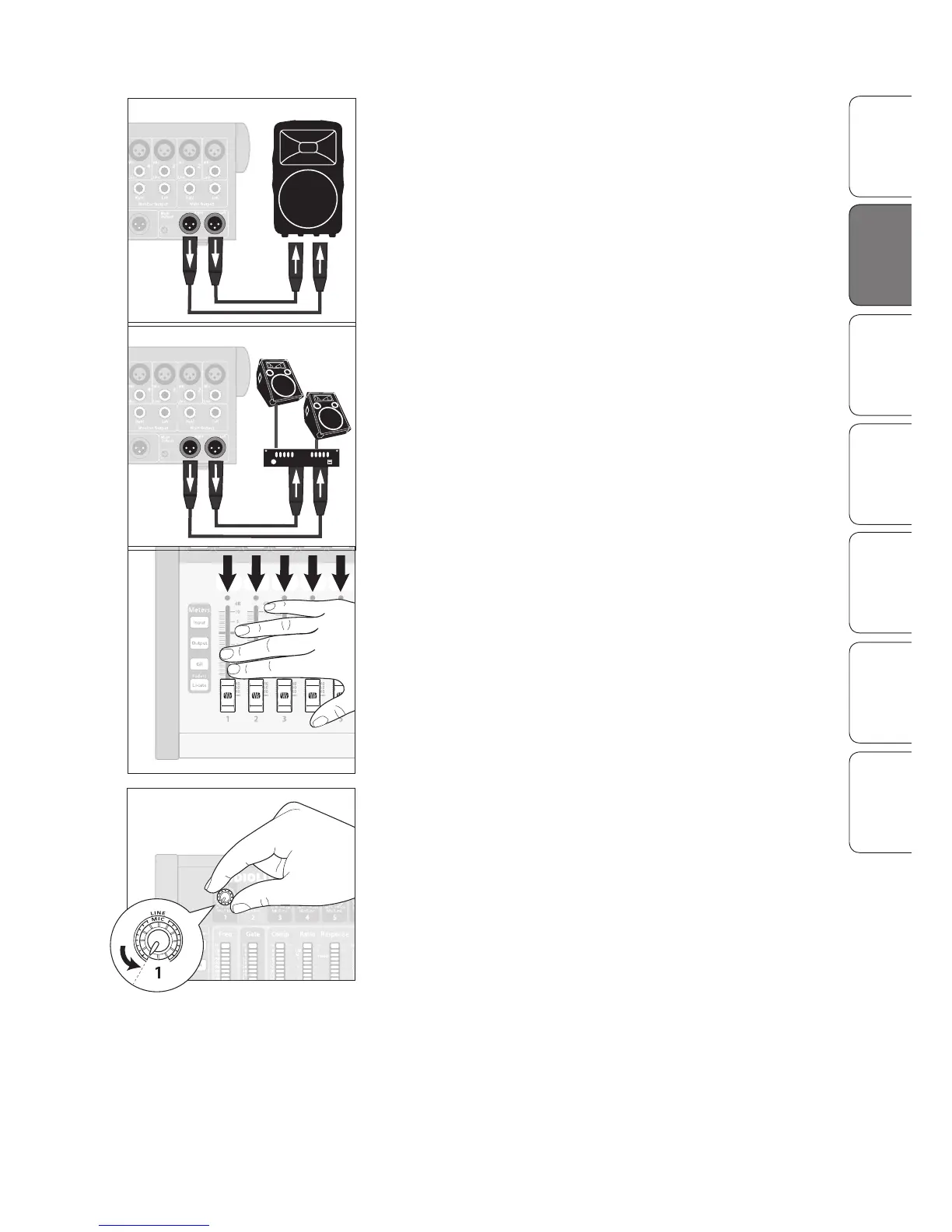
2. Connect the Main outs (TRS or XLR) of your StudioLive to
your power amplifier or powered monitors.
3. If you’re using passive speakers, connect them to your power
amplifier using speaker cable.
4. Bring down all the faders on your StudioLive to the ∞ setting.
5. Make sure that the Mic/Line knob on Channel 1
is all the way counter-clockwise.


Table of Contents

Other manuals for PRESONUS StudioLive 16.0.2

Related product manuals