2
2 Getting Started
2.1 Controlling your DAW
StudioLive™ Series III
Studio One HUI DAW Addendum
2.1 Controlling your DAW
2.1.1 Enabling HUI Control Emulation
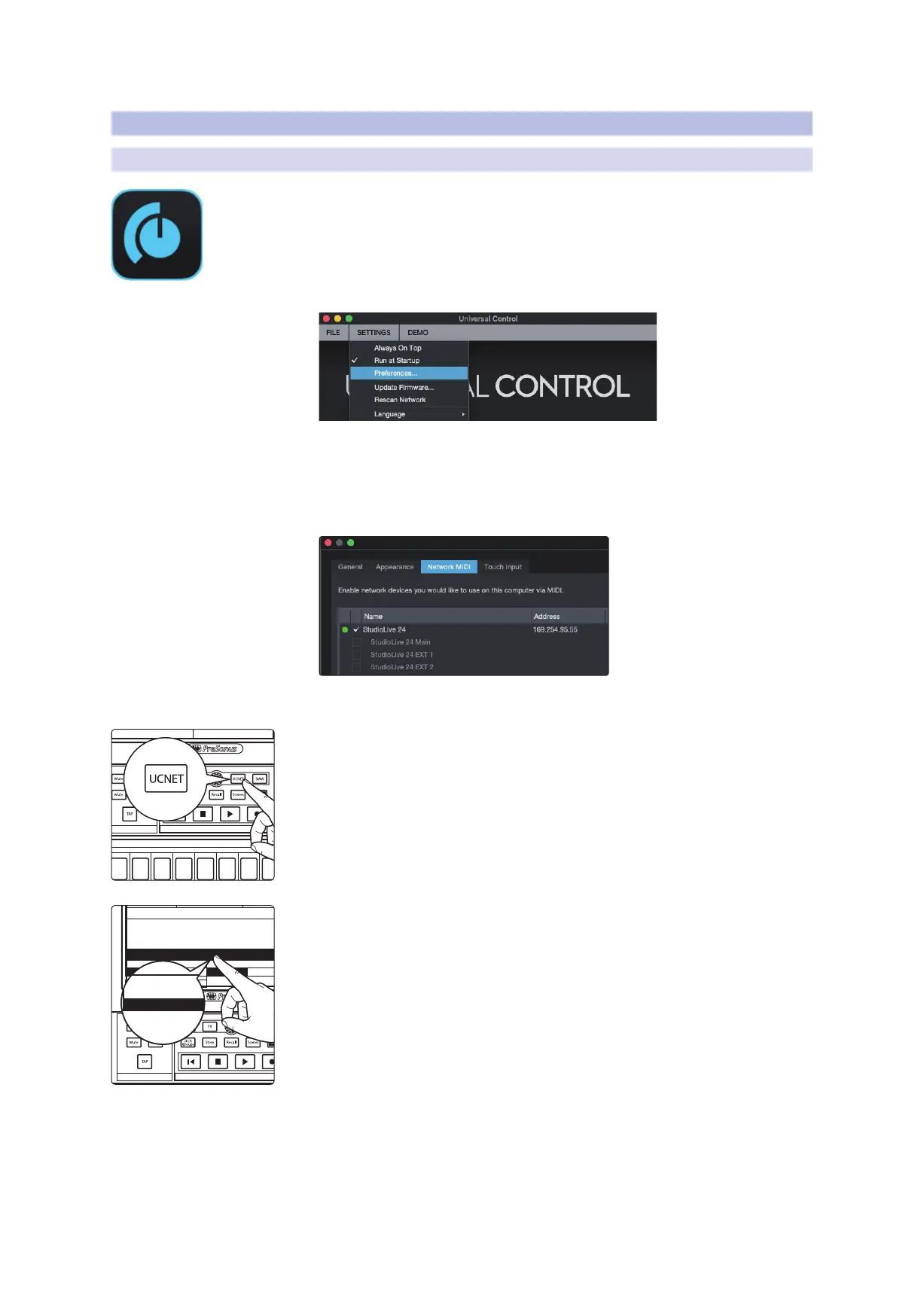
1. Launch Universal Control on the computer that is networked to your StudioLive
mixer.
2. Go to Settings | Preferences.
3. Click on the Network MIDI tab.
4. Check the box next to your mixer.
Note: It may take up to a minute for your mixer’s IP address to register. A green
indicator will appear once your mixer’s Network MIDI ports are available.
5. Click Apply and then OK to close the Preferences window.
6. Press the UCNET button on your StudioLive mixer.
7. Tap on the Software Control drop-down menu on the Touchscreen and select
HUI Control Emulation from the drop-down list.
FX C FX D
FX A FX B
EFFECTS MASTER MASTER CONTROL
Renew Lease
Permissions
Recording Device:
SD Card
Studio One 3.9.9.9.45025 OSX x64
10.0.0.3
PreSonus 225
FX C FX D
FX A FX B
EFFECTS MASTER MASTER CONTROL
Main Studio
Mixer Nickname:
None
None
Mackie Control Emulation (Logic)
IP Mode:
Dynamic
Renew Lease
Software Control
Self Assn. Manual SD Card
Software Control
HUI Control Emulation (Pro Tools)
Permissions
None
HUI Control Emulation (Pro Tools)
Mackie Control Universal Emulation (Logic)
None











 To Next Page